Education is a purposeful activity directed at achieving certain aims, such as transmitting knowledge or fostering skills and character traits. These aims may include the development of understanding, rationality, kindness, and honesty. Various researchers emphasize the role of critical thinking in order to distinguish education from indoctrination. Some theorists require that education results in an improvement of the student while others prefer a value-neutral definition of the term. In a slightly different sense, education may also refer, not to the process, but to the product of this process: the mental states and dispositions possessed by educated people. Education originated as the transmission of cultural heritage from one generation to the next. Today, educational goals increasingly encompass new ideas such as the liberation of learners, skills needed for modern society, empathy, and complex vocational skills.
-GK
-Computer
-Skill Sector
-Hindi
-English
-science
A memory is just like a human brain. It is used to store data and instructions. Computer memory is the storage space in the computer, where data is to be processed and instructions required for processing are stored. The memory is divided into large number of small parts called cells. Each location or cell has a unique address, which varies from zero to memory size minus one. For example, if the computer has 64k words, then this memory unit has 64 * 1024 = 65536 memory locations. The address of these locations varies from 0 to 65535.
Memory is primarily of three types −
Cache Memory
Primary Memory/Main Memory
Secondary Memory
Cache Memory
Cache memory is a very high speed semiconductor memory which can speed up the CPU. It acts as a buffer between the CPU and the main memory. It is used to hold those parts of data and program which are most frequently used by the CPU. The parts of data and programs are transferred from the disk to cache memory by the operating system, from where the CPU can access them.
Advantages
The advantages of cache memory are as follows −
Cache memory is faster than main memory.
It consumes less access time as compared to main memory.
It stores the program that can be executed within a short period of time.
It stores data for temporary use.
Disadvantages
The disadvantages of cache memory are as follows −
Cache memory has limited capacity.
It is very expensive.
Primary Memory (Main Memory)
Primary memory holds only those data and instructions on which the computer is currently working. It has a limited capacity and data is lost when power is switched off. It is generally made up of semiconductor device. These memories are not as fast as registers. The data and instruction required to be processed resides in the main memory. It is divided into two subcategories RAM and ROM.
Characteristics of Main Memory
These are semiconductor memories.
It is known as the main memory.
Usually volatile memory.
Data is lost in case power is switched off.
It is the working memory of the computer.
Faster than secondary memories.
A computer cannot run without the primary memory.
Secondary Memory
This type of memory is also known as external memory or non-volatile. It is slower than the main memory. These are used for storing data/information permanently. CPU directly does not access these memories, instead they are accessed via input-output routines. The contents of secondary memories are first transferred to the main memory, and then the CPU can access it. For example, disk, CD-ROM, DVD, etc.
Characteristics of Secondary Memory
These are magnetic and optical memories.
It is known as the backup memory.
It is a non-volatile memory.
Data is permanently stored even if power is switched off.
It is used for storage of data in a computer.
Computer may run without the secondary memory.
Slower than primary memories.
मेमोरी क्या है?
कंप्यूटर मेमोरी एक डिवाइस होती है जिसका इस्तेमाल डेटा और सूचना को स्टोर करने के लिए किया जाता है.
दूसरे शब्दों में कहें तो, “Computer Memory कंप्यूटर का एक महत्वपूर्ण हिस्सा है जिसमें data को स्टोर करके रखा जाता है, बिना मेमोरी के कंप्यूटर काम नहीं करता.”
जिस प्रकार मनुष्य डेटा और सूचना को स्टोर करने के अपने दिमाग का इस्तेमाल करता है उसी प्रकार कंप्यूटर data (डेटा) और information (सूचना) को स्टोर करने के लिए memory का इस्तेमाल करता है.
सरल शब्दो में कहे तो “कंप्यूटर मेमोरी एक इलेक्ट्रॉनिक डिवाइस है जिसका इस्तेमाल प्रोग्राम और सूचनाओं को स्टोर करने के लिए किया जाता है। मेमोरी की मदद से कंप्यूटर अपने कार्यों को पूरा करता है. “
कंप्यूटर की मेमोरी को छोटे छोटे हिस्सों में विभाजित (divide) किया जाता है जिन्हे हम cell कहते है। इन Cell में डेटा बाइनरी (0,1) के रूप में स्टोर होता है.
कंप्यूटर मेमोरी इनपुट और आउटपुट दोनों प्रकार के डेटा को स्टोर करने में सक्षम होती है।
कंप्यूटर मेमोरी बहुत प्रकार की होती है- प्राइमरी मेमोरी (Primary memory), सेकेंडरी मेमोरी (Secondary memory) , कैश मेमोरी (Cache Memory) और रजिस्टर मेमोरी (Register memory). इन सभी मेमोरी के बारे में हम नीचे विस्तार से पढ़ेंगे।
1- प्राइमरी मेमोरी (Primary Memory)
प्राइमरी मेमोरी कंप्यूटर की मुख्य मेमोरी (main memory) होती है जो कंप्यूटर में मौजूद डेटा और सूचना (information) को स्टोर करती है।
दूसरे शब्दों में कहें तो, “प्राइमरी मैमोरी एक प्रकार की कंप्यूटर मेमोरी है जिसे CPU के द्वारा सीधे एक्सेस (access) किया जा सकता है।“
प्राइमरी मेमोरी को प्राइमरी स्टोरेज के नाम से भी जाना जाता है जो कंप्यूटर के मदरबोर्ड पर स्थित होती है। प्राइमरी मेमोरी को Semiconductor (अर्धचालक) पदार्थ से बनाया जाता है।
इस मेमोरी की स्टोरेज क्षमता सिमित (limited) होती है जिसके कारण यह बहुत कम मात्रा में डेटा को स्टोर कर पाती है। एक कंप्यूटर में प्राइमरी मेमोरी का साइज लगभग 4 GB होता है।
प्राइमरी मेमोरी Volatile और Non Volatile दोनों प्रकार की होती है। Volatile memory वह मेमोरी होती है जो कंप्यूटर के ON रहने तक ही डेटा को स्टोर करती है, कंप्यूटर के off होने पर इसमें रखा डेटा अपने आप डिलीट हो जाता है। Non-Volatile वह मेमोरी होती है जो हमेशा के लिए डेटा को स्टोर करके रखती है।
सेकेंडरी मेमोरी की तुलना में प्राइमरी मेमोरी महंगी होती है लेकिन यह तेज गति (speed) के साथ डेटा को एक्सेस करती है। इस मेमोरी के दो प्रकार होते है पहला RAM (रैंडम एक्सेस मेमोरी) और दूसरा ROM (रीड ओनली मेमोरी) .
प्राइमरी मेमोरी के प्रकार
(i). RAM (रैम)
RAM का पूरा नाम Random Access Memory (रैंडम एक्सेस मेमोरी) होता है। RAM में डेटा कंप्यूटर के ON रहने तक ही स्टोर रहता है, कंप्यूटर के OFF होने पर इसमें मौजूद डेटा अपने आप डिलीट हो जाता है। इसलिए इसे Volatile memory भी कहा जाता है।
RAM को सिस्टम मेमोरी, और रीड राइट मेमोरी के नाम से भी जाना जाता है। इसमें डेटा को एक्सेस करने के लिए बिजली की आवश्यकता पड़ती है। यदि कंप्यूटर बंद हो जाता है या बिजली चली जाती है तो इसमें मौजूद सारा डेटा डिलीट हो जाता है।
कंप्यूटर RAM में मौजूद डेटा को तेज गति के साथ एक्सेस करता है जिसके कारण कंप्यूटर तेजी से कार्यो को पूरा कर पाता है।
RAM के दो प्रकार होते है पहला SRAM (स्टेटिक रैंडम एक्सेस मेमोरी) और दूसरा DRAM (डायनामिक रैंडम एक्सेस मैमोरी) .
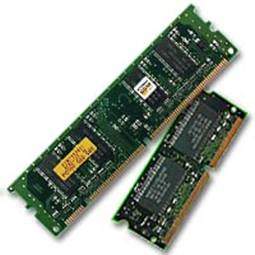
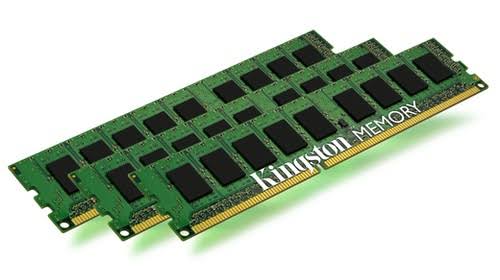
RAM का चित्र
(ii). ROM (रोम)
ROM का पूरा नाम Read Only Memory (रीड ओनली मेमोरी) होता है। यह एक non volatile मैमोरी है जिसका मतलब यह है कि यह हमेशा के लिए डेटा को स्टोर करके रखती है।
यदि बिजली चली जाती है और कंप्यूटर बंद हो जाता है तो भी ROM में मौजूद डेटा डिलीट नही होता। इस मेमोरी में डेटा को permanently (हमेशा के लिए) स्टोर किया जा सकता है लेकिन RAM में हम ऐसा नहीं कर सकते।
ROM के तीन प्रकार होते है पहला PROM (प्रोग्रामेबल रीड ऑनली मैमोरी) दूसरा EPROM (एरेजेबल प्रोग्रामेबल रीड ऑनली मैमोरी) और तीसरा EEPROM (इलेक्ट्रिकली इरेजेबल प्रोग्रामेबल रीड ऑनली मैमोरी)
प्राइमरी मेमोरी की विशेषताएं (Characteristics of Primary Memory in Hindi)
प्राइमरी मेमोरी में मौजूद डेटा को तेज गति के साथ एक्सेस किया जा सकता है।
कैश मेमोरी (cache memory) के बाद प्राइमरी मेमोरी की ही स्पीड सबसे ज्यादा होती है।
इसका इस्तेमाल कंप्यूटर को ON करने और प्रोग्राम को run करने के लिए किया जाता है.
यह semiconductor (अर्धचालक) प्रदार्थ से बनी होती है.
प्राइमरी मेमोरी मदरबोर्ड में स्थित होती है.
यह मेमोरी ज्यादा मात्रा में डेटा को स्टोर नहीं कर सकती क्योकि इसकी स्टोरेज क्षमता (storage capacity) बहुत कम होती है।
प्राइमरी मेमोरी सीधे CPU के साथ संचार (communication) करती है।
2 – Secondary Memory (सेकेंडरी मेमोरी)
सेकेंडरी मेमोरी भी कंप्यूटर की एक मेमोरी है जिसे CPU के द्वारा सीधे (direct) एक्सेस नहीं किया जा सकता। सेकेंडरी मेमोरी कंप्यूटर का हिस्सा नहीं होती है इसे कंप्यूटर में अलग से जोड़ा जाता है।
सेकेंडरी मेमोरी एक प्रकार की non-volatile मेमोरी है अर्थात् इसमें डेटा हमेशा के लिए स्टोर रहता है यानी कि अगर कंप्यूटर बंद भी हो जाए तो इसका डेटा डिलीट नही होता।
Secondary memory का इस्तेमाल permanent डेटा को स्टोर करने के लिए किया जाता है ताकि भविष्य में यूजर उस डेटा का उपयोग कर सके।
प्राइमरी मेमोरी की तुलना में सेकेंडरी मेमोरी की स्टोरेज क्षमता अधिक होती है जिसके कारण यह ज्यादा मात्रा में डेटा को स्टोर कर सकती है।
इस मेमोरी का इस्तेमाल बड़े आकार वाले डेटा जैसे (वीडियो, इमेज, ऑडियो, फाइल) को स्टोर करने के लिए किया जाता है। इस मेमोरी में यदि बिजली चली जाती है तो भी डेटा डिलीट नहीं होता।
CPU सीधे सेकेंडरी मेमोरी को एक्सेस नहीं कर सकता। इसे ऐसा करने के लिए सेकेंडरी मेमोरी के डेटा को प्राइमरी मेमोरी में ट्रांसफर करना होगा इसके बाद CPU सेकडरी मेमोरी को एक्सेस कर पायेगा।
इस मेमोरी को एक्सटर्नल मेमोरी या सहायक मेमोरी भी कहते है। इस मेमोरी में हम डेटा को एक कंप्यूटर से दूसरे कंप्यूटर में ट्रांसफर कर सकते है।
यह मेमोरी प्राइमरी मेमोरी की तुलना में काफी सस्ती होती है। सेकेंडरी में मेमोरी के कुछ उदहारण :- हार्ड डिस्क , pendrive , DVD, CD, और मैग्नेटिक टेप आदि।
सेकेंडरी मेमोरी की विशेषताएं (Characteristics of Secondary Memory in Hindi)
यह मेमोरी अधिक मात्रा में डेटा को स्टोर कर सकती है। इसकी स्टोरेज क्षमता अधिक होती है।
इसमें बिजली चले जाने पर डेटा डिलीट नहीं होता।
यह प्राइमरी मेमोरी की तुलना में सस्ती होती है।
इस मेमोरी की स्पीड धीमी (slow) होती है।
इसके डेटा को एक कंप्यूटर से दूसरे कंप्यूटर में आसानी से ट्रान्सफर कर सकते हैं.
इस मेमोरी को CPU के द्वारा सीधे (direct) एक्सेस नहीं किया जा सकता।
3- Cache Memory (कैश मेमोरी)
Cache Memory एक तेज गति से काम करने वाली मेमोरी है जिसका इस्तेमाल सीपीयू की स्पीड तथा परफॉरमेंस को बढ़ाने के लिए किया जाता है।
कैश मेमोरी एक हाई-स्पीड मेमोरी है जिसका आकार तो छोटा होता है लेकिन प्राइमरी मेमोरी से तेज होती है।
इस मेमोरी को एक्सेस करना आसान है और CPU इसे तेज गति से एक्सेस करता है। इस मेमोरी को अन्य डिवाइस के द्वारा एक्सेस नहीं किया जा सकता बल्कि इसे केवल CPU के द्वारा ही एक्सेस किया जा सकता है।
कैश मेमोरी में उस डेटा या फाइलों को स्टोर किया जाता है जिनका इस्तेमाल CPU नियमित रूप से करता है। जब भी सीपीयू को कोई डेटा चाहिए होता है तो सीपीयू सबसे पहले उस डेटा को कैश मेमोरी में ढूंढता है।
कैश मैमोरी के प्रकार –
इसके तीन प्रकार होते हैं:-
L1 Cache
L2 Cache
L3 Cache
L1 Cache
यह एक छोटी मेमोरी होती है जिसका आकार 2KB से 64 KB तक होता है। L1 cache में दो प्रकार के cache होते हैं पहला निर्देश कैश (instruction cache) जो CPU द्वारा आवश्यक निर्देशों को स्टोर करते है और दूसरा डेटा कैश (data cache) जो CPU द्वारा आवश्यक डेटा को स्टोर करते है।
L2 Cache
L2 cache का साइज़ L1 cache से थोडा बढ़ा होता है और इसकी स्पीड L1 cache से थोड़ी कम होती है। इसका आकार 256 kb से 512 kb के बीच होता है।
L3 Cache
यह साइज में L1 cache और L2 cache से थोड़ी बड़ी होती है और इसकी स्पीड L1 cache और L2 cache मेमोरी से थोड़ी कम होती है। इसका आकार 1 MB से 8 MB तक होता है।
कैश मैमोरी की विशेषताएं (Characteristics of Cache Memory in Hindi)
Cache Memory प्राइमरी मेमोरी से भी अधिक Fast (तेज) होती है.
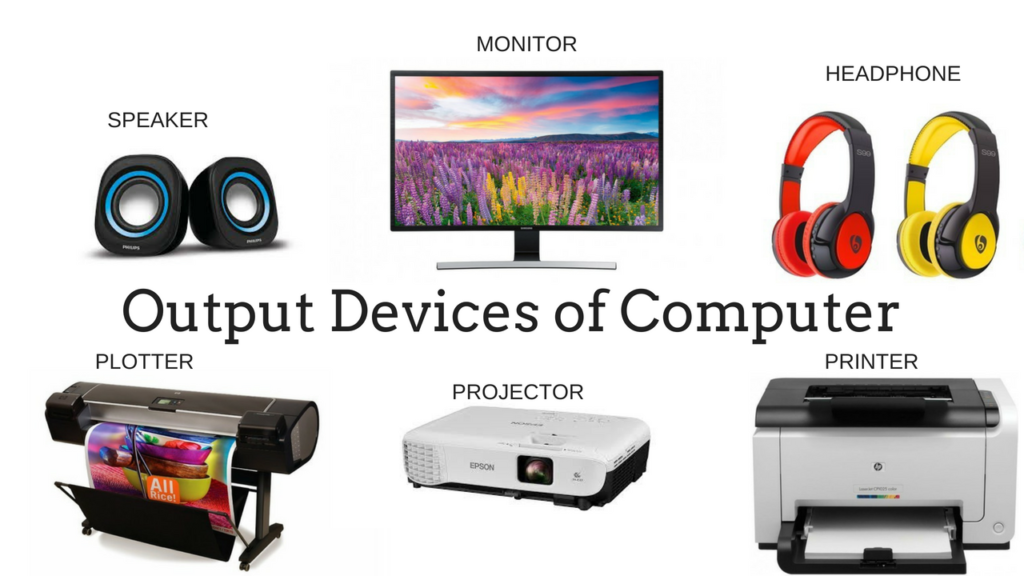
Devices which are used along with a computer to display the result are called output devices. The main output devices are monitor, printer, speaker, headphones and projector.
OUTOUT
Following are some of the important output devices used in a computer.
Monitors
Graphic Plotter
Printer
Monitors
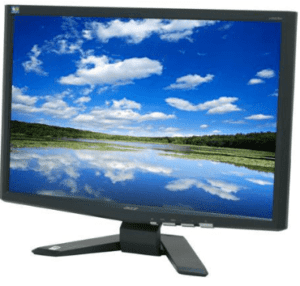
Monitors, commonly called as Visual Display Unit (VDU), are the main output device of a computer. It forms images from tiny dots, called pixels that are arranged in a rectangular form. The sharpness of the image depends upon the number of pixels.
There are two kinds of viewing screen used for monitors.
Cathode-Ray Tube (CRT)
Flat-Panel Display
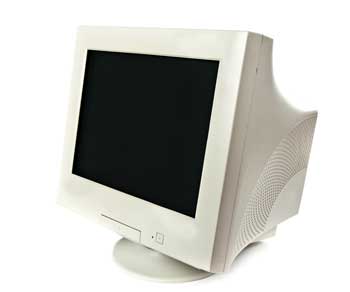
Cathode-Ray Tube (CRT) Monitor
The CRT display is made up of small picture elements called pixels. The smaller the pixels, the better the image clarity or resolution. It takes more than one illuminated pixel to form a whole character, such as the letter ‘e’ in the word help.
A finite number of characters can be displayed on a screen at once. The screen can be divided into a series of character boxes – fixed location on the screen where a standard character can be placed. Most screens are capable of displaying 80 characters of data horizontally and 25 lines vertically.
There are some disadvantages of CRT −
Large in Size
High power consumption
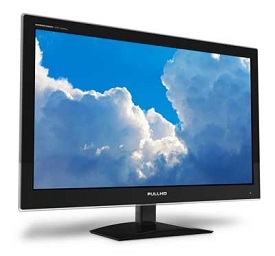
Flat-Panel Display Monitor
The flat-panel display refers to a class of video devices that have reduced volume, weight and power requirement in comparison to the CRT. You can hang them on walls or wear them on your wrists. Current uses of flat-panel displays include calculators, video games, monitors, laptop computer, and graphics display.
The flat-panel display is divided into two categories −
Emissive Displays − Emissive displays are devices that convert electrical energy into light. For example, plasma panel and LED (Light-Emitting Diodes).
Non-Emissive Displays − Non-emissive displays use optical effects to convert sunlight or light from some other source into graphics patterns. For example, LCD (Liquid-Crystal Device).
Printers
Printer is an output device, which is used to print information on paper.
There are two types of printers −
Impact Printers
Non-Impact Printers
Impact Printers
Impact printers print the characters by striking them on the ribbon, which is then pressed on the paper.
Characteristics of Impact Printers are the following −
Very low consumable costs
Very noisy
Useful for bulk printing due to low cost
There is physical contact with the paper to produce an image
These printers are of two types −
Character printers
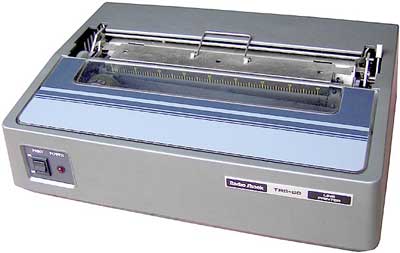
Line printers
Character Printers
Character printers are the printers which print one character at a time.
These are further divided into two types:
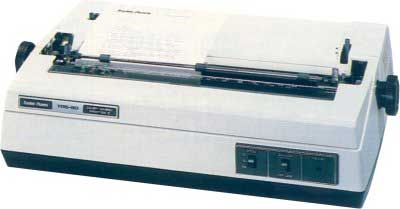
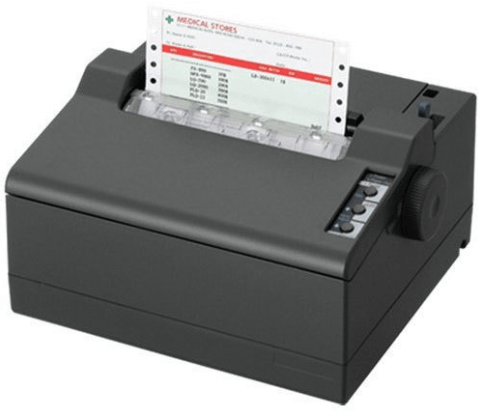
Dot Matrix Printer(DMP)
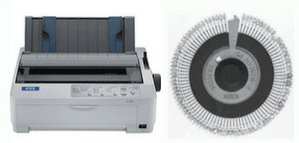
Daisy Wheel
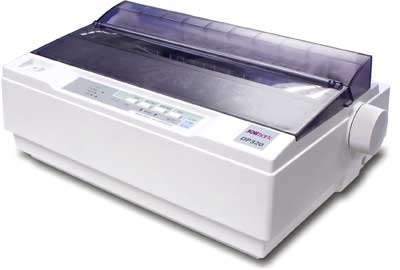
Dot Matrix Printer
In the market, one of the most popular printers is Dot Matrix Printer. These printers are popular because of their ease of printing and economical price. Each character printed is in the form of pattern of dots and head consists of a Matrix of Pins of size (5*7, 7*9, 9*7 or 9*9) which come out to form a character which is why it is called Dot Matrix Printer.
Advantages
Inexpensive
Widely Used
Other language characters can be printed
Disadvantages
Slow Speed
Poor Quality
Daisy Wheel
Head is lying on a wheel and pins corresponding to characters are like petals of Daisy (flower) which is why it is called Daisy Wheel Printer. These printers are generally used for word-processing in offices that require a few letters to be sent here and there with very nice quality.
Advantages
More reliable than DMP
Better quality
Fonts of character can be easily changed
Disadvantages
Slower than DMP
Noisy
More expensive than DMP
Line Printers
Line printers are the printers which print one line at a time.
These are of two types −
Drum Printer
Chain Printer
Drum Printer
This printer is like a drum in shape hence it is called drum printer. The surface of the drum is divided into a number of tracks. Total tracks are equal to the size of the paper, i.e. for a paper width of 132 characters, drum will have 132 tracks. A character set is embossed on the track. Different character sets available in the market are 48 character set, 64 and 96 characters set. One rotation of drum prints one line. Drum printers are fast in speed and can print 300 to 2000 lines per minute.
Advantages
Very high speed
Disadvantages
Very expensive
Characters fonts cannot be changed
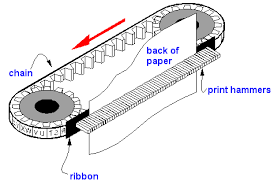
Chain Printer
In this printer, a chain of character sets is used, hence it is called Chain Printer. A standard character set may have 48, 64, or 96 characters.
Advantages
Character fonts can easily be changed.
Different languages can be used with the same printer.
Disadvantages
Noisy
Non-impact Printers
Non-impact printers print the characters without using the ribbon. These printers print a complete page at a time, thus they are also called as Page Printers.
These printers are of two types −
Laser Printers
Inkjet Printers
Characteristics of Non-impact Printers
Faster than impact printers
They are not noisy
High quality
Supports many fonts and different character size
Laser Printers
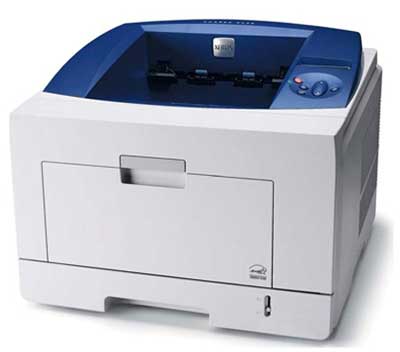
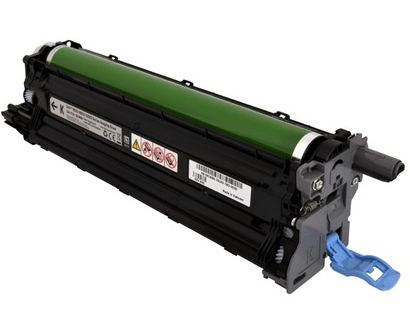
These are non-impact page printers. They use laser lights to produce the dots needed to form the characters to be printed on a page.
Advantages
Very high speed
Very high quality output
Good graphics quality
Supports many fonts and different character size
Disadvantages
Expensive
Cannot be used to produce multiple copies of a document in a single printing
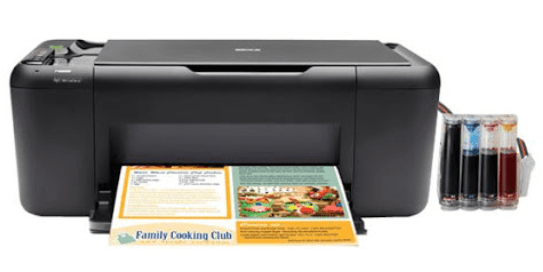
Inkjet Printers
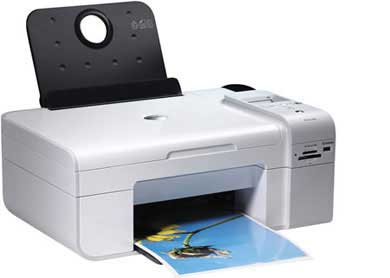
Inkjet printers are non-impact character printers based on a relatively new technology. They print characters by spraying small drops of ink onto paper. Inkjet printers produce high quality output with presentable features.
They make less noise because no hammering is done and these have many styles of printing modes available. Color printing is also possible. Some models of Inkjet printers can produce multiple copies of printing also.
Advantages
High quality printing
More reliable
Disadvantages
Expensive as the cost per page is high
Slow as compared to laser printer.
OUTPUT
कंप्यूटर में input devices द्वारा जो डाटा भेजा जाता है और CPU द्वारा उस डाटा को process किया जाता है, processing के बाद जो Output (result) प्राप्त होता है। उसे computer output device की सहायता से प्राप्त किया जाता है।
यह output हमें कई प्रकार से प्राप्त होता है जैसे की Monitor screen पर जानकारी को पढ़ सकते है, वीडियो देख सकते है, प्रिंटर से print निकल सकते है, और स्पीकर से गाने सुन सकते है आदि।
आउटपुट डिवाइस के प्रकार – Types of Output devices with example
• Monitor • Printer • Projector
Meaning of Monitor in Hindi
Monitor का नाम ज्यादातर कंप्यूटर के साथ जोड़ा जाता है। इसका आकार दिखने में तो टीवी जैसा होता है। लेकिन हिंदी में मॉनिटर का मतलब उपदेश करना होता है।
इसके बारे में आगे आपको बताएंगे कंप्यूटर में मॉनिटर की क्या भूमिका है (What is Monitor in computer)
मॉनिटर क्या है? – What is Monitor in computer
मॉनिटर एक महत्वपूर्ण Output device है। इसे visual display unit भी कहा जाता है। इसका उपयोग कंप्यूटर में output display करने के लिए किया जाता है, मॉनिटर के कंप्यूटर अधूरा है। यह आउटपुट को अपनी स्क्रीन पर soft copy के रूप प्रदर्शित करता है।
मॉनिटर के प्रकार – Types of Monitor
CRT मॉनिटर
LCD मॉनिटर
LED मॉनिटर
Plasma मॉनिटर
CRT Monitor
CRT का पूरा नाम Cathode Rays Tube है। CRT Monitor में किसी picture को जनरेट करने के लिए Cathode tube का उपयोग किया जाता है। यह tube केमिकल फॉर्म में होती है। इसके फ्लैट सर्फेस में फास्फोरस का लेप होता है। यहां सरफेस नंबर ऑफ dots में विभाजित होती है। जिससे “Pixels” कहते हैं।
CRT Monitor
Cathode tube के अंत में electron gun होती है। जिसके द्वारा electron beams जनरेट किए जाते हैं। एवं इस electron beams के आगे इलेक्ट्रो मैग्नेटिक फील्ड जनरेट की जाती हैं। जिससे इलेक्ट्रॉन की दिशा निर्देशित की जाती है।
जब यह जनरेट इलेक्ट्रॉन फास्फोरस सरफेस से टकराते हैं। तो चमक उठते हैं। तब हमें screen पर image एवं text आदि दिखाई देते हैं।
इलेक्ट्रॉन beams तीन प्रकार के होते है। जो स्क्रीन पर वार करते है- लाल, हरा और नीला इसलिए, जो रंग आप स्क्रीन पर देखते हैं, वे लाल, नीले और हरे रंग के प्रकाश के मिश्रण होते हैं।
Magnetic field इलेक्ट्रान के beams का मार्गदर्शन करता है। हालांकि एलसीडी मॉनिटर ने CRT मॉनिटर की जगह लेली है। लेकिन CRT मॉनिटर अभी भी उसकी color quality के कारण graphics professionals द्वारा ज्यादा उपयोग किये जा रहे है।
LCD Monitor
LCD Monitor
इसका का पूरा नाम Liquid Crystal Display है। एल सी डी मॉनिटर को फ्लैट पैनल स्क्रीन (Flat panel screen) भी कहा जाता है। जो CRT मॉनिटर की तुलना में compact और lightweight है।
यह लिक्विड क्रिस्टल डिस्प्ले technique पर आधारित होती है। जिसका उपयोग Laptop, Tablet और Smartphone आदि की स्क्रीन में किया जाता है।
एलसीडी स्क्रीन में ध्रुवीयकृत ग्लास (polarized glass) की दो परतें होती हैं, जिनके बीच एक लिक्विड क्रिस्टल सॉल्यूशन होता है। liquid crystal display screen में pixels का एक matrix होता है। जो स्क्रीन पर image display करता है।
LED Monitor
LED मॉनिटर एल सी डी Output Device का improved version है। इसका पूरा नाम Light Emitting Diode है। इसमें भी flat panel display होता है। और एलसीडी मॉनिटर जैसी liquid crystal display technique का उपयोग किया गया है। Liquid Crystal Display मॉनिटर में कई LED panel होते है और प्रत्येक panel में डिस्प्ले को बैकलाइट करने के लिए कई LED होते है।
LED Monitor
जबकि एल सी डी मॉनिटर डिस्प्ले को बैकलाइट करने के लिए CCFL (Cold Cathode Fluorescent Light) का उपयोग करते है।
आज कल के electronic devices जैसे की smart phones, laptops, LED TVs और computer screen एल ई डी display का उपयोग करते है।
क्योंकि यह अधिक चमक और अधिक से अधिक प्रकाश का तेजी से निर्माण करते है, और काम बिजली की खपत भी करते है।
Plasma Monitor
Plasma Monitor
प्लास्मा मॉनिटरभी एक flat panel display है। जो Plasma डिस्प्ले technology पर आधारित है। इसमें दो glass पैनल के बीच छोटी छोटी कोशिकाएँ (cells) होती हैं। इन कोशिकाओं में noble gases का मिश्रण और mercury की थोड़ी मात्रा होती है।
जब voltage apply किया जाता है तो कोशिकाओं में मौजूद gas, plasma में बदल जाती हैं और ultraviolet light निकलती है। जो स्क्रीन पर image बनाती है।
प्लाज्मा डिस्प्ले LCD की तुलना में शानदार होते हैं और एल सी डी की तुलना में wide viewing angle पेश करते हैं। इसमें 1920 x 1080 तक के high-resolution होते हैं।
प्रिंटर क्या है? – What is Printer
प्रिंटर एक Output Device है। प्रिंटर का उपयोग output को पेपर या वास्तु के रूप में प्राप्त करने के लिए करते है, या फिर इसकी सहायता से किसी भी प्रकार की soft copy को hard copy में convert कर सकते है। तकनीकी के आधार पर प्रिंटर को दो भागों में बांटा गया है-
प्रिंटर के प्रकार – Types of Printer
Impact Printers
Non-impact printers
Impact printer
Impact printer प्रत्येक प्रिंट को हिट के द्वारा प्रिंट करते हैं। सामान्यता यह प्रिंटर हैमर (Hammer) का प्रयोग करते है। Impact printer निम्न प्रकार के होते हैं-
Character Printers
Line Printers
Character Printers
यह एक बार में एक ही कैरेक्टर प्रिंट करता है। यह एक बार में एक लाइन प्रिंट नहीं करता डॉट मैट्रिक्स प्रिंटर और डेजी व्हील प्रिंटर कैरेक्टर प्रिंटर होते हैं। आज यह प्रिंटर कम गति के कारण अधिक उपयोग में नहीं आते। क्योंकि यह single character प्रिंट करते है। करैक्टर प्रिंटर निम्न प्रकार के होते है-
Dot Matrix Printer
Daisy wheel printer
Dot Matrix Printer
Dot Matrix Printer एक इंपैक्ट प्रिंटर कहलाता है इसके प्रिंट हैड में पिनो का एक matrix होता है। इन पिनो के रिबन से टकराने से कागज पर प्रिंटिंग होती है
इसमें छोटे-छोटे बिंदुओं से मिलकर अक्षरों का निर्माण होता है इनके प्रिंटिंग हैड में 9,14,18 या 24 पिनो का horizontal group होता है।
एक बार में एक कलम की पिन हैड से बाहर निकलकर dots को छापती है जिससे एक अक्षर अनेक चरणों में बनता है इस प्रकार प्रिंटिंग हैड लाइन की दिशा में आगे खिसकता जाता है।
इसमें प्रिंटिंग हैड को कंप्यूटर के द्वारा नियंत्रित किया जाता है। इनकी प्रिंटिंग गति 30 से 600 अक्षर प्रति second होती है। यह प्रिंटर दोनों दिशा में प्रिंटिंग करते हैं।
यह प्रिंटर printing quality के आधार पर दो प्रकार के होते हैं।
Draft quality printing – इसमें सामान्य छपाई होती है। Near letter quality printing – इस प्रिंटिंग में एक अक्षर को दो बार छापा जाता है। इसकी प्रिंटिंग गति धीमी होती है।
Dot Matrix Printer
Advantage of Dot matrix printer
इसमें printing निकालना सस्ता होता है।
इसमें किसी भी स्टाइल, साइज में प्रिंटिंग निकाली जा सकती है।
यह graphics को भी print कर सकता है। इसकी quality बहुत poor होती है।
Dot Matrix printer 100 से 500 कैरेक्टर प्रति सेकंड प्रिंट कर सकता है।
यह दोनों दिशाओं में print कर सकता है।
Disadvantages of Dot matrix printer
यह एक noisy प्रिंटर है।
इसकी लेटर quality poor होती है।
इसमें color की संभावना भी लिमिटेड होती है।
Daisy wheel printer
यह एक solid font printer और impact प्रिंटर है। इसका अविष्कार David S. Lee ने डिएब्लो डाटा सिस्टम में किया था। इसका नाम Daisy wheel इसलिए पड़ा, क्योंकि इसके प्रिंटिंग हैड की आकृति गुलबहार फूल (Daisy) के समान होता है।
Daisy wheel प्रिंटर धीमी गति का प्रिंटर है। लेकिन इसकी प्रिंटिंग quality अच्छी होती है। इसलिए इसका प्रयोग पत्र छपने के लिए किया जाता है। इसको Letter Quality Printer भी कहते है।
Daisy Wheel Printer
प्रिंट करने का तरीका
इस प्रिंटर में हैड एक व्हील होता है। जिसमें बहुत सारे spoke लगे होते है। किसी character को प्रिंट करने के लिए व्हील एक्सेस में चारों ओर घूमता है। जब भी उचित कैरेक्टर हैमर के सामने आता है।
तब हैमर spoke के अंदर हिट करता है और कैरेक्टर पेपर पर दिखता है। जो कि ribbon के विपरीत होता है।
Advantages of Daisy wheel printer
यह एक letter quality प्रिंटर है क्योंकि इसकी प्रिंटिंग quality अच्छी होती है।
डेजी व्हील प्रिंटर 1 मिनट में 50 से 100 करैक्टर प्रिंट करता है। जो कि मैनुअल टाइपिंग की तुलना में बहुत तेज है।
Disadvantages of Daisy wheel printer
यह एक noisy प्रिंटर है।
यह graphics एवं drawing की प्रिंटिंग को support नहीं करता है।
Line Printer
यह high speed इम्पैक्ट प्रिंटर है। जो एक बार में एक लाइन प्रिंट करता है। बड़े कंप्यूटर के लिए हाई स्पीड प्रिंटर की आवश्यकता होती है।
क्योंकि यह प्रति सेकंड 500 से 3000 लाइनों को प्रिंट करता है। Drum प्रिंटर और Chain प्रिंटर लाइन प्रिंटर के उदहारण है।
Drum Printer
यह एक letter quality एवं लाइन प्रिंटर है यह एक बार में पूरी लाइन प्रिंट करता है इस प्रिंटर में एक ड्रम का उपयोग किया जाता है जो अपनी जगह पर रोटेट करता है ड्रम के सर फेस पर नंबर ऑफ कैरेक्टर होते हैं जो कि मिरर इमेज में होते हैं प्रत्येक row कुछ कैरेक्टर होते है।
ये प्रिंटर लाइन के हिसाब से बहुत सारे हैमर उपयोग करता है यदि ड्रम प्रिंटर में 80 कॉलम है तो यह 80 हैमर रखता है।
प्रिंट करने का तरीका
Drum एक्सेस पर rotate करता है। जब लाइन का उचित कैरेक्टर हैमर के सामने आता है। तब यह हैमर ribbon पर हिट करता है। जो कि Drum पर मार्क होते हैं। तब एक कैरेक्टर प्रिंट होता है।
Drum Printer
Advantages of Drum printer
यह एक सेकंड में 10 से 50 लाइन प्रिंट करता है।
यह एक letter quality प्रिंटर है।
Disadvantages of Drum printer
यह एक noisy printer है।
यह प्रिंटर महंगे होते है।
इसमें करैक्टर एवं size एवं स्टाइल को बदलने के लिए पुरे ड्रम को बदलना पड़ता है।
इस प्रिंटर के graphics द्वारा प्रिंटिंग संभव नहीं है।
Chain Printer
यह भी एक Letter quality प्रिंटर है। इस प्रिंटर में एक chain का उपयोग होता है। जो कि कैरेक्टर को प्रिंट करती है। इसमें करैक्टर mirror image के रूप में होता है। यह चैन दो चकों पर भारित होती है। जोकि उसे rotate करते हैं। एक हैमर का उपयोग एक लाइन में कैरेक्टर को प्रिंट करने के लिए किया जाता है।
प्रिंटिंग करने का तरीका
जब Chain का उचित कैरेक्टर लाइन की सही जगह पर आता है। तब हैमर कैरेक्टर को move करता है। एवं हिट करता है।यह चैन का कैरेक्टर हिट रिबन पर हिट करता है। तब कैरेक्टर पेपर पर दिखाई देता है। जोकि इंक रिबन के विपरीत में होता है।
Chain Printer
Advantages of chain printer
यह ड्रम प्रिंटर की तुलना में सस्ता होता है।
यह 9 से 20 लाइन प्रति सेकंड प्रिंट करता है।
Disadvantages of chain printer
यह noisy printer है।
इसमें कैरेक्टर का size एवं style बदलने के लिए चेन को बदलना पड़ता है।
चैन प्रिंटर में graphics printing संभव नहीं होती।
इसमें कुछ लिमिटेड कलर ही प्रयोग कर सकते हैं।
Non-Impact printer
Non-Impact printer को पेज प्रिंटर भी कहा जाता है। क्योंकि यह प्रिंटर एक बार में एक पेज प्रिंट करते हैं। इसमें character और image को प्रिंट करने के लिए ribbon का उपयोग नहीं किया जाता है। Impact printer की तुलना में इसकी प्रिंटिंग quality ज्यादा अच्छी होती है।
Non-Impact printer निम्न प्रकार के होते हैं-
Inkjet Printer
Laser Printer
Inkjet printer
यह एक Non-Impact printer है। जो कागज पर स्याही का छिड़काव करके Hard copy को प्रिंट करता है। यह छोटे-छोटे dots के साथ चित्र बनाते हैं।
यह printer कम से कम 300 DPI (Dot per inch) resolution के साथ page को प्रिंट कर सकता है। कुछ नये inkjet printer 600 DPI या अधिक पर पूर्ण रंग की hard copy print कर सकते हैं।
प्रिंटिंग करने का तरीका
Inkjet printer के प्रिंट head में कई छोटे nozzles (नलिका)होते है। जिन्हे jet भी कहा जाता है। जैसे ही पेपर, प्रिंट head के आगे बढ़ता है। nozzles उस पर स्याही spray करता है। जिससे अक्षर और चित्र बनते है।
आमतौर पर एक Inkjet printer 100 से कई ज्यादा पेज को प्रिंट कर सकता है। लेकिन यह hard copy की प्रकृति पर निर्भर करता है।
Inkjet Printer
Advantages of Inkjet printer –
यह output device of computer का color प्रिंटर है, जो कि सभी कलर में image को प्रिंट कर सकता है।
यह printer सभी character को किसी भी size एवं style में प्रिंट कर सकता है। यह प्रिंटर सस्ते होते हैं।
Inkjet प्रिंटर graphics print कर सकता है।
इनकी कीमत अन्य प्रिंटर की अपेक्षा कम होती है
Disadvantages of Inkjet printer –
इसकी ink बहुत costly होती है
इसकी प्रिंटिंग speed अन्य प्रिंटर की तुलना में कम होती है
यदि प्रिंटर को कुछ दिनों तक उपयोग न किया जाये तो इनकी ink nozzle block हो जाती है जिसे फिर cleaner run करके साफ़ करना पड़ता है।
Laser printer
लेजर प्रिंटर high speed page printer होते है। एवं लेटर quality प्रिंटर होते है इसका प्रयोग कंप्यूटर में 1970 के दशक से किया जा रहा है। पहले ये mainframe computer में प्रयोग किये जाते थे।
1980 में इसकी कीमत 3000 डॉलर थी। और फिर इनका प्रयोग microcomputer में किया जाने लगा। आजकल यह सबसे ज्यादा लोगप्रिय प्रिंटर है। क्योकि इसकी प्रिंटिंग quality और speed अच्छी है।
Laser printer ज़ेरोग्राफी तकनीकी के आधार पर कार्य करता है। ज़ेरोग्राफी तकनीकी का विकास जेरॉक्स मशीन के लिए हुआ था। ज़ेरोग्राफी एक फोटोग्राफी तकनीक है। जिसमें फिल्म एक आवेशित पदार्थ का लेपन युक्त ड्रम होता है। यह ड्रम फोटो संवेदित होता है। इसके द्वारा कागज पर output को छापा जाता है।
प्रिंटिंग करने का तरीका-
लेजर प्रिंटर में प्रिंटिंग लेजर किरण के द्वारा किया जाता है। इसमें लेजर किरण Lens द्वारा एक घूमते हुए बहुभुजाकार दर्पण पर फोकस की जाती है। जहां से reflect होकर आउटपुट की लेजर किरण लेंस द्वारा पुनः एक अन्य दर्पण पर फोकस की जाती है। फिर से reflect होकर यह किरण ड्रम पर गिरती है।
यह किरण ड्रम पर छापने वाली लाइनों के रूप में डालता है। जब यह ड्रम घूमता है। तो आवेशित स्थानों पर टोनर चिपक जाता है। इसके बाद यह टोनर कागज पर स्थानांतरित हो जाता है।
जिससे आउटपुट कागज पर छप जाता है। यह output अस्थाई होता है। इसको स्थाई करने के लिए इसको गर्म रोलर के बीच से गुजारा जाता है। जिससे यह प्रिंटिंग स्थाई हो जाती है।
अधिकतर लेजर प्रिंटर में microprocessor, RAM and ROM होते हैं। ROM में font एवं पेज को व्यवस्थित करने वाले प्रोग्राम होते हैं। इनकी प्रिंटिंग quality 300 to 600 DPI तक होती है। जो सर्वश्रेष्ठ होती है।
इसके द्वारा रंगीन प्रिंटिंग भी कर सकते हैं। इसकी प्रिंटिंग गति अधिक होती है। इसकी गति में PPM में नापा जाता है। आजकल इनकी कीमत कम हो गई है।
Laser printer
Advantages of Laser printer –
यह noisy printer नहीं है।
लेजर प्रिंटर एक high quality प्रिंटिंग प्रदान करता है।
यह हाई स्पीड प्रिंटर होता है।
यह एक मिनट में 6 से 10 page कर सकता है।
Disadvantages of Laser printer –
यह costly printer है।
इसमें अधिक बिजली की आवश्यकता होती है।
इसमें एक special शीट का उपयोग printing के लिये किया जाता है। जो बहुत महंगी होती है।
इनकी रख रखाव की लागत थोड़ी ज्यादा होती है।
3D Printer
3डी प्रिंटर Output Device of Computer है यह प्रिंटर प्रिंटिंग टेक्नोलॉजी की एक शानदार कृति है, इसके द्वारा किसी वस्तु को प्रिंट किया जा सकता है। इसके लिए सॉफ्टवेयर और हार्डवेयर की एक मिली जुली प्रक्रिया होती है, जिसकी मदद से चीजों पर कलर डिज़ाइन या चित्र को प्रिंट किया जा सकता है। इसके बारे में और अधिक जानने के लिए नीचे दी गई लिंक पर क्लिक करें।
Plotter एक स्पेशल Output Device है। यह प्रिंटर की तरह होता है। जोकि vector graphics को प्रिंट करने के लिए उपयोग किया जाता है।
टोनर की जगह, प्लॉटर पेपर पर निरंतर lines को draw करने के लिए एक पेन, पेंसिल, मार्कर या अन्य लेखन उपकरण का उपयोग करते हैं।
Plotter का आविष्कार 1953 में रेमिंगटन-रैंड द्वारा किया गया था। इसका UNIVAC कंप्यूटर के साथ तकनीकी चित्र बनाने के लिए किया जाता था।
आमतौर पर प्लॉटर का प्रयोग इंजीनियरिंग application और CAD (Computer aided design) के लिए किया जाता है।
Advantages of Plotter
यह बड़े कागज पर high-quality आउटपुट प्रदान करता है।
इसकी उत्पादन क्षमता अधिक होती है।
यह उच्च सटीकता की प्रिंटिंग प्रदान करता है।
यह विभिन्न आकारों के graphics की प्रिंटिंग करता है।
इसकी प्रिंटिंग गति अधिक होती है।
Disadvantages of Plotter
Plotter का आकार दूसरे प्रिंटर की अपेक्षा अधिक होता है।
यह बहुत महंगे होते है।
इनकी रख रखाव की लागत थोड़ी ज्यादा होती है।
प्लोटर के प्रकार – Types of plotter
Drum Plotter
Flatbed Plotter
Drum Plotter
ड्रम प्लॉटर एक ऐसा Plotter है। जिसने पेन का उपयोग किया जाता है। जो गतिशील होकर कागज पर चित्र या आकृति का निर्माण करता है। इसमें paper को ड्रम पर चढ़ाया जाता है। जो धीरे-धीरे खिसकता जाता है और पेन प्रिंटिंग करता जाता है।
यह एक मैकेनिकल कलाकार की तरह कार्य करता है। इसमें print करने के लिए Technical Drafting Pen का प्रयोग किया जाता है।
Pen की गति एक बार में 1 इंच के हज़ारवें हिस्से के बराबर होती है। कई प्लॉटर में चार या इससे अधिक पेन होते हैं। यह इंच प्रति सेकेंड से प्रिंटिंग करता है।
Drum Plotter
Flatbed Plotter
इस प्रकार के plotter में कागज को स्थिर अवस्था bed या table पर रखा जाता है। Plotter में एक पेन और होल्डर होता है। जो विभिन्न आकार के चित्रों को draw करता है। प्रत्येक कलम में विभिन्न रंगो की स्याही होती है। जोकि multi-color documents को प्रिंट करती है।
इसमें कागज को प्रिंटिंग करने के लिए कागज को bed पर रखा जाता है, और कागज का आकर bed या flat surface पर निर्भर करता है। बड़े flatbed plotter 60 इंच तक के paper प्रिंटिंग कर सकते है।
कुछ flatbed plotter कागज के अलावा, cardboard, plastic और metal (धातु) पर भी प्रिंटिंग कर सकते है। यह plotter अच्छी quality में और बिना किसी नुकसान के बार-बार perfect copies बना सकते है, हालांकि ये साइज में बड़े और महंगे होते है।
Flatbed Plotter
प्रोजेक्टर क्या है? – What is Projector
Projector भी एक Output Device है। जोकि user को एक बड़ी सतह, जैसे की बड़ी screen या दीवार पर output show करता है। इसको स्क्रीन पर project करने के लिए computer से connect किया जाता है। यह light और lens का उपयोग करके text, image और video दिखता है।
Projector
Modern या Digital प्रोजेक्टर HDMI cable का उपयोग करते और पुराने प्रोजेक्टर में VGA cable को support करते है। यह Wi-Fi और Bluetooth से भी connect होते है। Projector का उपयोग teaching classroom, presentation और home cinema आदि के लिए होता है।
Digital projector दो प्रकार के होते है-
Liquid Crystal Display (LCD)– यह एक light weight प्रोजेक्टर है जो ज्यादा प्रयोग में किया जाते है।
Digital Light Processing (DLP) Digital projector- यह projector ज्यादातर सिनेमा घरों में उपयोग किये जाते है, क्योकि यह high quality video आउटपुट की सुविधा प्रदान करता है।
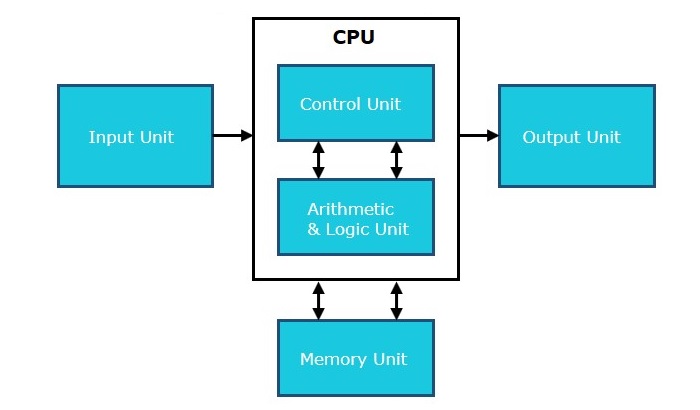
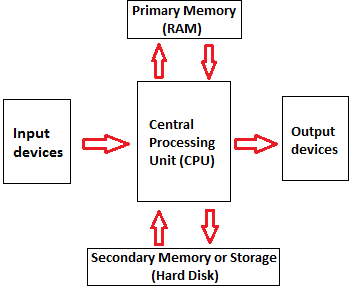
Central Processing Unit (CPU) consists of the following features −
CPU is considered as the brain of the computer.
CPU performs all types of data processing operations.
It stores data, intermediate results, and instructions (program).
It controls the operation of all parts of the computer.
CPU itself has following three components.
Memory or Storage Unit
Control Unit
ALU(Arithmetic Logic Unit)
Memory or Storage Unit
This unit can store instructions, data, and intermediate results. This unit supplies information to other units of the computer when needed. It is also known as internal storage unit or the main memory or the primary storage or Random Access Memory (RAM).
Its size affects speed, power, and capability. Primary memory and secondary memory are two types of memories in the computer. Functions of the memory unit are −
It stores all the data and the instructions required for processing.
It stores intermediate results of processing.
It stores the final results of processing before these results are released to an output device.
All inputs and outputs are transmitted through the main memory.
Control Unit
This unit controls the operations of all parts of the computer but does not carry out any actual data processing operations.
Functions of this unit are −
It is responsible for controlling the transfer of data and instructions among other units of a computer.
It manages and coordinates all the units of the computer.
It obtains the instructions from the memory, interprets them, and directs the operation of the computer.
It communicates with Input/Output devices for transfer of data or results from storage.
It does not process or store data.
ALU (Arithmetic Logic Unit)
This unit consists of two subsections namely,
Arithmetic Section
Logic Section
Arithmetic Section
Function of arithmetic section is to perform arithmetic operations like addition, subtraction, multiplication, and division. All complex operations are done by making repetitive use of the above operations.
Logic Section
Function of logic section is to perform logic operations such as comparing, selecting, matching, and merging of data.
सी पी यू का पूरा नाम क्या है?
CPU का पूरा नाम Central processing unit है, CPU को पुरे कंप्यूटर सिस्टम का मस्तिष्क (brain) कहा जाता है।
CPU क्या है?
CPU कंप्यूटर के सभी महत्वपूर्ण कार्य को संभालता है। यह कंप्यूटर में उपयोग किये जाने वाले हार्डवेयर और एक्टिव सॉफ्टवेयर के निर्देशों को प्राप्त करता है और आउटपुट प्रदर्शित करता है।
Central processing unit इनपुट डिवाइस और आउटपुट डिवाइस के बीच संबंध बनाये रखता है। यह ऑपरेटिंग सिस्टम और एप्लीकेशन सॉफ्टवेयर के सभी programs को अपनी मेमोरी में स्टोर करता है।
पहले आपने जाना की Central processing unit (CPU) को microprocessor कहा जाता है। Microprocessor दो इंच का ceramic square होता है जिसमें silicon chip होती है।
यह microprocessor chip या CPU, motherboard के CPU socket में फिट किया जाता है। CPU socket को heat sink की मदद से कवर किया जाता है, यह एक ऐसी वास्तु है जो CPU से गर्मी सोकती है।
आज कल के modern devices, laptops, mobile और tablet CPU की जगह System on chip (SoC) का उपयोग करते है। यह एक चिप है जिसमें CPU के साथ अन्य कम्पोनेंट्स होते है।
सी पी यू का कार्य क्या है?
वास्तव में CPU, इनपुट डिवाइस (कीबोर्ड, माउस, प्रिंटर आदि ) या कंप्यूटर प्रोग्राम से इनपुट लेता है, और जो निर्देश प्राप्त उसे व्याख्या (decode) करता है। फिर CPU मॉनिटर को सुचना आउटपुट करता है।
सी पी यू के घटक – Components of CPU
Full form of CPU parts
CU (Control unit)
ALU (Arithmetic logical unit)
Memory or Storage unit
CU
CU पूरा नाम Control Unit है। इसके द्वारा पूरे कंप्यूटर सिस्टम को control करने का कार्य जाता है। यह unit सीपीयू की महत्वपूर्ण unit होती है।
ALU
ALU पूरा नाम Arithmetic Logic Unit है। यह कंप्यूटर के प्रमुख unit होती है। इसके द्वारा कंप्यूटर में सभी गणितीय एवं लॉजिकल कार्य किए जाते हैं। यह प्रोसेसर के अंदर होती है।
आगे आप जानेंगे की मेमोरी क्या होती है और उसके प्रकार – What is computer memory? and Types of memory in computer
Memory – What is computer memory?
यह कंप्यूटर की स्टोरेज यूनिट है। यह कंप्यूटर का महत्वपूर्ण हिस्सा होता है। इसमें हम डाटा प्रोग्राम आदि को स्टोर करके रख सकते हैं। इसमें डाटा को बायनरी फॉर्मेट (0,1) में स्टोर किया जाता है। इसको नापने की साइज के आधार पर यूनिट है। जैसे Byte, Kilobyte, Megabyte, Gigabyte एवं Terabyte इसमें सबसे छोटी यूनिट byte एवं सबसे बड़ी यूनिट terabyte होती है।
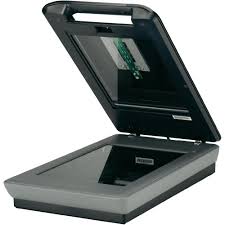
The scanner uses the pictures and pages of text as input. It scans the picture or a document. The scanned picture or document then converted into a digital format or file and is displayed on the screen as an output. It uses optical character recognition techniques to convert images into digital ones. Some of the common types of scanners are as follows:
Scanner एक Light को Page के ऊपर डालता है और फिर यह Light Reflect होकर उस Page का एक Image बनाती है. Scanner Light का इनपुट के रूप में प्रयोग करता है. इसके बाद स्कैनर Page को Digital Format में बदलकर उसे कंप्यूटर तक भेजता है.
Types of Scanner:
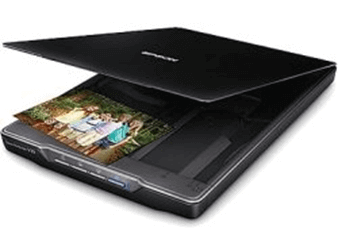
i) Flatbed Scanner:
It has a glass pane and a moving optical CIS or CCD array. The light illuminates the pane, and then the image is placed on the glass pane. The light moves across the glass pane and scans the document and thus produces its digital copy. You will need a transparency adapter while scanning transparent slides.
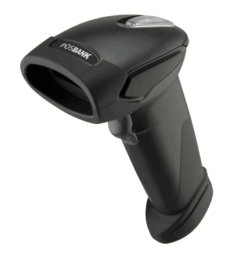
ii) Handheld Scanner:
It is a small manual scanning device which is held by hand and is rolled over a flat image that is to be scanned. The drawback in using this device is that the hand should be steady while scanning; otherwise, it may distort the image. One of the commonly used handheld scanners is the barcode scanner which you would have seen in shopping stores.
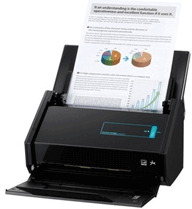
iii) Sheetfed Scanner:
In this scanner, the document is inserted into the slot provided in the scanner. The main components of this scanner include the sheet-feeder, scanning module, and calibration sheet. The light does not move in this scanner. Instead, the document moves through the scanner. It is suitable for scanning single page documents, not for thick objects like books, magazines, etc.
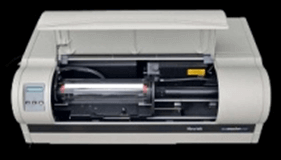
iv) Drum Scanner:
Drum scanner has a photomultiplier tube (PMT) to scan images. It does not have a charge-coupled device like a flatbed scanner. The photomultiplier tube is extremely sensitive to light. The image is placed on a glass tube, and the light moves across the image, which produces a reflection of the image which is captured by the PMT and processed. These scanners have high resolution and are suitable for detailed scans.
v) Photo Scanner:
It is designed to scan photographs. It has high resolution and color depth, which are required for scanning photographs. Some photo scanners come with in-built software for cleaning and restoring old photographs.
The mouse is a hand-held input device which is used to move cursor or pointer across the screen. It is designed to be used on a flat surface and generally has left and right button and a scroll wheel between them. Laptop computers come with a touchpad that works as a mouse. It lets you control the movement of cursor or pointer by moving your finger over the touchpad. Some mouse comes with integrated features such as extra buttons to perform different buttons.
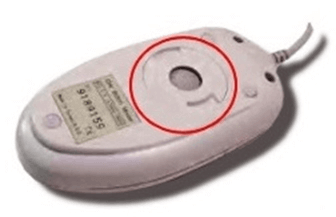
The mouse was invented by Douglas C. Engelbart in 1963. Early mouse had a roller ball integrated as a movement sensor underneath the device. Modern mouse devices come with optical technology that controls cursor movements by a visible or invisible light beam. A mouse is connected to a computer through different ports depending on the type of computer and type of a mouse.
माउस
माउस को Pointing Device या Cursor Moving Device के नाम से भी जाना जाता है. माउस के द्वारा बिना कीबोर्ड के भी कंप्यूटर को नियंत्रित कर सकते हैं.
माउस से कर्सर को इधर – उधर Move कर सकते हैं और किसी ऑडियो, विडियो पर क्लिक करके उसे Play कर सकते हैं.
माउस में तीन बटन होते हैं Left Key, Right Key और Middle Key.
Left Key के द्वारा कंप्यूटर में किसी Icon, File, Folder को Select और Open करते हैं. जब Left Key को दो बार Press करते हैं तो उसे Double Click कहते हैं.
Right Key क्लिक करने से कंप्यूटर स्क्रीन पर Sub Menu Open होता है. Right Key एक बार Press करने को Right Click कहते हैं.
Middle Key इसे Scroll Button भी कहा जाता है इसकी मदद से कंप्यूटर Screen को Scroll करते हैं. यह Left और Right Key के बीच लगा छोटा गोल होता है.
Common types of the mouse:
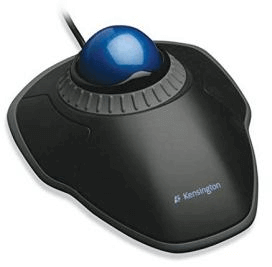
i) Trackball Mouse:
It is a stationary input device that has ball mechanism to move the pointer or cursor on the screen. The ball is half inserted in the device and can be easily rolled with finger, thumb or the palm to move the pointer on the screen. The device has sensor to detect the rotation of ball. It remains stationary; you don’t need to move it on the operating surface. So, it is an ideal device if you have limited desk space as you don’t need to move it like a mouse.
ii) Mechanical Mouse:
It has a system of a ball and several rollers to track its movement. It is a corded type of mouse. A mechanical mouse can be used for high performance. The drawback is that they tend to get dust into the mechanics and thus require regular cleaning.
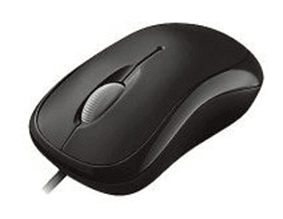
iii) Optical Mouse:
An optical mouse uses optical electronics to track its movement. It is more reliable than a mechanical mouse and also requires less maintenance. However, its performance is affected by the surface on which it is operated. Plain non-glossy mouse mat should be used for best results. The rough surface may cause problems for the optical recognition system, and the glossy surface may reflect the light wrongly and thus may cause tracking issues.
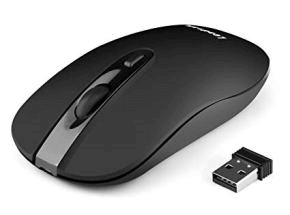
iv) Cordless or Wireless Mouse:
As the name suggests, this type of mouse lacks cable and uses wireless technology such as IrDA (infrared) or radio (Bluetooth or Wi-Fi) to control the movement of the cursor. It is used to improve the experience of using a mouse. It uses batteries for its power supply.
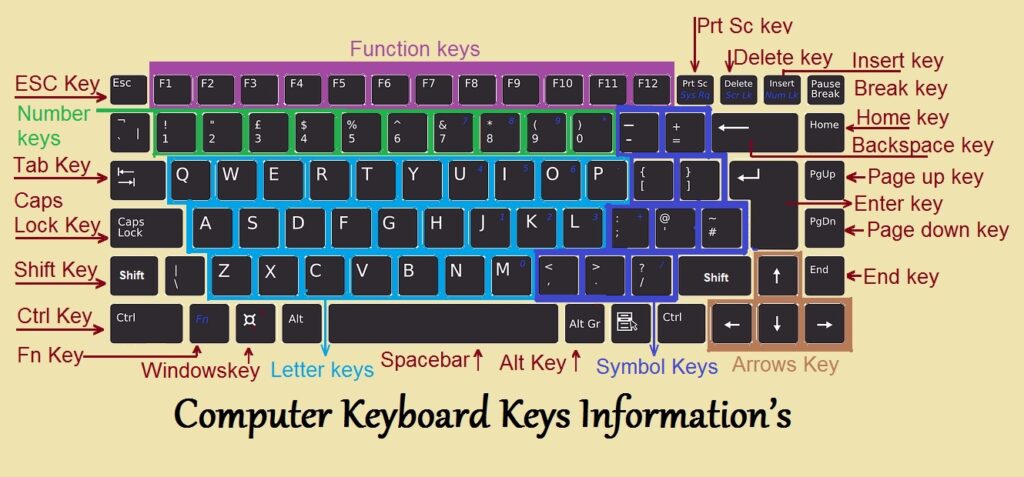
The keyboard is a basic input device that is used to enter data into a computer or any other electronic device by pressing keys. It has different sets of keys for letters, numbers, characters, and functions. Keyboards are connected to a computer through USB or a Bluetooth device for wireless communication.
कीबोर्ड
कंप्यूटर का एक प्रमुख इनपुट डिवाइस है, इसे प्राइमरी इनपुट डिवाइस भी कहते हैं. आप सभी लोग इस इनपुट डिवाइस के बारे में जानते ही होंगे.
इसमें लगभग 108 Key होती है, कीबोर्ड के द्वारा कंप्यूटर को Typing करके Instruction देते हैं. कीबोर्ड में कई प्रकार की Key होती है जैसे Alphabetic Key ( A To Z ), Numeric Key ( 0 – 9 ), Symbolic Key ( @,#,&,% ), 4 Arrow Key, Function Key ( F1 To F12 ) और कुछ विशेष प्रकार की Key ( Atl, Tab, Ctrl ). इन सभी Key के द्वारा कंप्यूटर पर साधारण से लेकर विशेष प्रकार के कार्य कर सकते हैं. कीबोर्ड एक महत्वपूर्ण इनपुट डिवाइस है
Types of keyboards: There can be different types of keyboards based on the region and language used. Some of the common types of keyboards are as follows:
i) QWERTY Keyboard:
QWERTY Keyboard:
It is the most commonly used keyboard with computers in modern times. It is named after the first six letters of the top row of buttons and is even popular in countries that do not use Latin-based alphabet. It is so popular that some people think that it is the only type of keyboard to use with computers as an input device.
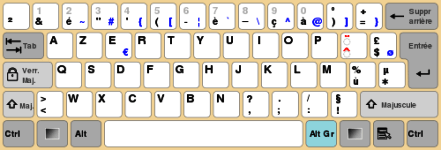
ii) AZERTY Keyboard:
ii) AZERTY Keyboard:
It is considered the standard French keyboard. It is developed in France as an alternative layout to the QWERTY layout and is mainly used in France and other European countries. Some countries have manufactured their own versions of AZERTY.
Its name is derived from the first six letters that appear on the top left row of the keyboard. The Q and W keys in AZERTY keyboard are interchanged with A and Z keys in QWERTY keyboard. Furthermore, in AZERTY keyboard M key is located to the left of the L key.
AZERTY keyboard differs from QWERTY keyboard not only in the placement of letters but also in many other ways, e.g., it gives emphasis on accents, which is required for writing European languages like French.
iii) DVORAK Keyboard:
iii) DVORAK Keyboard:
This type of keyboard layout was developed to increase the typing speed by reducing the finger movement while typing. The most frequently used letters are kept in a home row to improve typing.
Listing of non-alphanumeric keys
Key/symbol
Explanation
Windows
PC keyboards have a Windows key that looks like a four-pane, wavy window.
Command
Apple Mac computers have a Command with a symbol resembling a cloverleaf.
Menu
PC keyboards also have a Menu key that looks like a cursor pointing to a menu.
Esc
Esc (escape) key.
F1 – F12
What are the F1 through F12 keys?
F13 – F24
Information about the F13 through F24 keyboard keys.
Tab
Tab key.
Caps lock
Caps lock key.
Shift
Shift key.
Ctrl
Control key.
Fn
Function key.
Alt
Alternate key (PC only; Mac users have an Option key).
Spacebar
Spacebar key.
Arrows
Up, down, left, right Arrow keys.
Back Space
Back space (or Backspace) key.
Delete
Delete or Del key.
Enter
Enter key.
Prt Scrn
Print Screen key.
Scroll Lock
Scroll Lock key.
Pause
Pause key.
Break
Break key.
Insert
Insert key.
Home
Home key.
Page up
Page up or pg up key.
Page down
Page down or pg dn key.
End
End key.
Num Lock
Num Lock key.
~
Tilde.
`
Acute, back quote, grave, grave accent, left quote, open quote, or a push.
!
Exclamation mark, exclamation point, or bang.
@
Ampersat, arobase, asperand, at, or at symbol.
#
Octothorpe, number, pound, sharp, or hash.
£
Pound Sterling or Pound symbol.
€
Euro.
$
Dollar sign or generic currency.
¢
Cent sign.
¥
Chinese/Japanese Yuan.
§
Micro or section.
%
Percent.
°
Degree.
^
Caret or circumflex.
&
Ampersand, epershand, or and symbol.
*
Asterisk, mathematical multiplication symbol, and sometimes called a star.
(
Open or left parenthesis.
)
Close or right parenthesis.
–
Hyphen, minus, or dash.
_
Underscore.
+
Plus.
=
Equal.
{
Open brace, squiggly brackets, or curly bracket.
}
Close brace, squiggly brackets, or curly bracket.
[
Open bracket.
]
Closed bracket.
|
Pipe, or, or vertical bar.
\
Backslash or reverse solidus.
/
Forward slash, solidus, virgule, whack, and mathematical division symbol.
Input device enables the user to send data, information, or control signals to a computer. The Central Processing Unit (CPU) of a computer receives the input and processes it to produce the output.
कंप्यूटर के इनपुट डिवाइस वे पार्ट होते हैं जिनके द्वारा हम कंप्यूटर को निर्देश देते हैं कि उसे क्या करना है, जैसे कीबोर्ड, माउस. स्कैनर आदि |
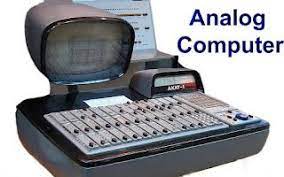
Analogue computers are designed to process analogue data. Analogue data is continuous data that changes continuously and cannot have discrete values. We can say that analogue computers are used where we don’t need exact values always such as speed, temperature, pressure and current.
Analogue computers directly accept the data from the measuring device without first converting it into numbers and codes. They measure the continuous changes in physical quantity and generally render output as a reading on a dial or scale. Speedometer and mercury thermometer are examples of analogue computers.Play Video
एनालॉग कंप्यूटर ऐसे कंप्यूटर होते हैं जिनका उपयोग भौतिक मात्राओं को मापने के लिए किया जाता है। भौतिक राशियाँ जैसे तापमान, दबाव, लंबाई, ऊँचाई आदि।
एनालॉग कंप्यूटर का उपयोग कार्यालयों या घरों में नहीं किया जाता है, इनका उपयोग ज्यादातर चिकित्सा या विज्ञान के क्षेत्र में किया जाता है, जैसे कि थर्मामीटर। एनालॉग कंप्यूटर हमारे सामने आउटपुट दिखाने के लिए एनालॉग सिग्नल का उपयोग करते हैं।
एनालॉग कंप्यूटर में मेमोरी या स्टोरेज नहीं होती है, यानी वे पिछले डेटा को स्टोर नहीं करते हैं। जैसे आप थर्मामीटर से बुखार को मापते हैं, हर बार यह शरीर के तापमान के आधार पर शुरू से ही बुखार को मापता है। यानी इनपुट सिग्नल में बदलाव के साथ एनालॉग कंप्यूटर का आउटपुट भी बदलता रहता है।
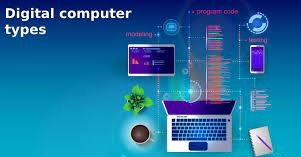
2) Digital Computer
Digital Computer
Digital computer is designed to perform calculations and logical operations at high speed. It accepts the raw data as input in the form of digits or binary numbers (0 and 1) and processes it with programs stored in its memory to produce the output. All modern computers like laptops, desktops including smartphones that we use at home or office are digital computers
डिजिटल कंप्यूटर (Digital Computer) वह डिजिटल सिस्टम है जो विभिन्न तरह की कई कम्प्यूटेशनल कार्य करता है। डिजिटल शब्द का मतलब है कि कंप्यूटर में जानकारी को Variables द्वारा दर्शाना, जो की ये सीमित संख्या होती हैं और कंप्यूटर शब्द का मतलब है कि, संगणक या गणना करना, इसलिए आम भाषा मे इसे कैल्कुलेटिंग डिवाइस माना जाता है। डिजिटल कंप्यूटर में Input तौर पर दिए गए Details को डाटा कहा जाता है। डिजिटल कंप्यूटर से प्राप्त आउटपुट परिणाम को अक्सर सूचना या जानकारी कहा जाता है। डिजिटल कंप्यूटर Input डाटा लेता है, तब इसे प्रोसेस करता है इसके बाद सूचना या परिणाम को आउटपुट डिवाइस पर दिखाता है।
3) Hybrid Computer
hybrid computer
Hybrid computer has features of both analogue and digital computer. It is fast like an analogue computer and has memory and accuracy like digital computers. It can process both continuous and discrete data. It accepts analogue signals and convert them into digital form before processing. So, it is widely used in specialized applications where both analogue and digital data is processed. For example, a processor is used in petrol pumps that converts the measurements of fuel flow into quantity and price. Similarly, they are used in airplanes, hospitals, and scientific applications.
हाइब्रिड कंप्यूटर (Hybrid Computer) ऐसे कंप्यूटर होते हैं जिनमें एनालॉग कंप्यूटर और डिजिटल कंप्यूटर के गुणों का समावेश होता है। इस कंप्यूटर सिस्टम के अंतर्गत डिजिटल मशीन और एनालॉग मशीन दोनों एक साथ काम करते हैं, अर्थात हाइब्रिड कंप्यूटर एनालॉग और डिजिटल कंप्यूटर का संयोजन (combination) हैं।
उदाहरण के लिए – मनुष्य के हृदय की धड़कन (Heartbeat) को ECG मशीन द्वारा मापा जाता है, ECG मशीन एक Hybrid कंप्यूटर है जिसके अंतर्गत दिल की धड़कन गिनने का काम एनालॉग कंप्यूटर करता है तथा प्राप्त जानकारी को रिपोर्ट बनाकर प्रिंट करने का काम डिजिटल कंप्यूटर करता है।
On the basis of size
the computer can be of five types:
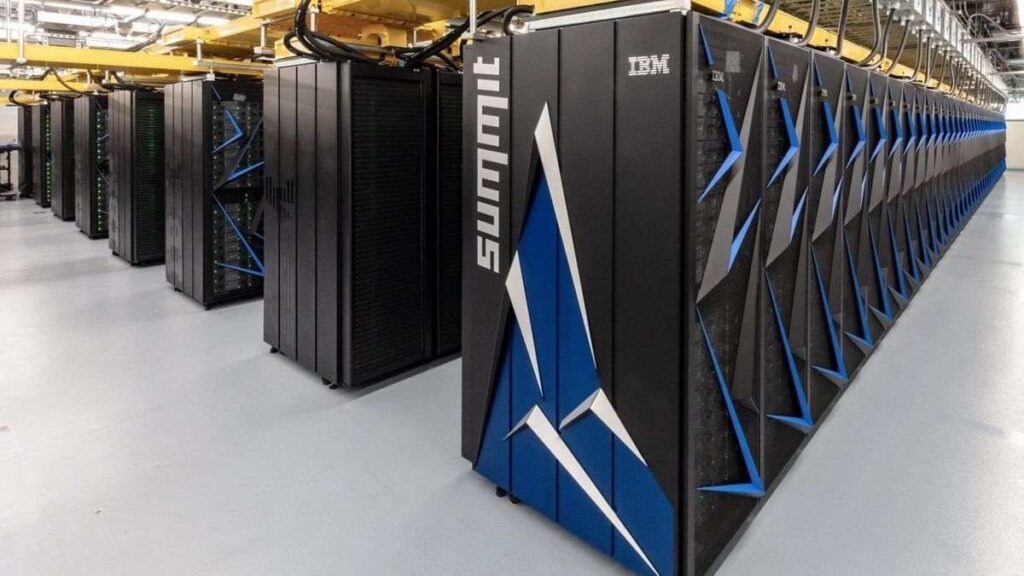
1) Supercomputer
super computer
Supercomputers are the biggest and fastest computers. They are designed to process huge amount of data. A supercomputer can process trillions of instructions in a second. It has thousands of interconnected processors.
Supercomputers are particularly used in scientific and engineering applications such as weather forecasting, scientific simulations and nuclear energy research. The first supercomputer was developed by Roger Cray in 1976
Characteristics or applications of supercomputers:
It has the ability to decrypt your password to enhance protection for security reasons.
It produces excellent results in animations.
It is used for virtual testing of nuclear weapons and critical medical tests.
It can study and understand climate patterns and forecast weather conditions. It can run in NOAA’s system (National Oceanic and Atmospheric Administration) that can execute any type of simple and logical data.
It helps in designing the flight simulators for pilots at the beginner level for their training.
It helps in extracting useful information from data storage centres or cloud system. For example, in insurance companies.
It has played a vital role in managing the online currency world such as stock market and bitcoin.
Supercomputer या जिसे महासंगणक भी कहा जाता है Supercomputer बहुत ही Advance कंप्यूटर होते हैं जिनका इस्तेमाल विशेष प्रकार के कार्यों में किया जाता है. ये कंप्यूटर बहुत फ़ास्ट होते हैं और तेजी के साथ जटिल समीकरणों को हल करने में सक्षम होते हैं. ये दुनिया के सबसे शक्तिशाली कंप्यूटर होते हैं. सुपर कंप्यूटर की स्पीड को FLOPS (Floating Point Operation Per Second) में मापा जाता है.
सुपर कंप्यूटर आकार में बहुत बड़े होते हैं और ये सामान्य उद्देश्यों कामों के लिए इस्तेमाल नहीं होते हैं. ये पूरी अलग तरह से काम करते हैं. इनकी कार्यक्षमता मानव की सीमाओं से भी बहुत आगे होती है. जिन जटिल समीकरणों को एक मानव हल नहीं कर सकता है उसे ये कंप्यूटर कुछ ही सेकंड में हल कर देते हैं.
सुपर कंप्यूटर पर कई लोग मिलकर एक साथ काम करते हैं. ऐसे कंप्यूटरों का उपयोग मुख्य रूप से वैज्ञानिक और इंजीनियरिंग कार्यों के लिए किया जाता है जिनमें अत्यधिक उच्च गति की गणना की आवश्यकता होती है. दुनिया का पहला Supercomputer 1960 में बनकर तैयार हुआ था जिसका नाम CDC 1604 था.
मुख्य बिंदु
विवरण
कंप्यूटर का नाम
सुपर कंप्यूटर
दुनिया के सुपर कंप्यूटर
Fugaku, Sunway TaihuLight, Summit, Sierra इत्यादि.
भारत के सुपर कंप्यूटर
PARAM Siddhi-AI, Pratyush, Mihir इत्यादि.
सुपर कंप्यूटर की कीमत
करोड़ और अरबों रुपए (लगभग)
भारत का पहला सुपर कंप्यूटर
PARAM 8000
दुनिया का पहला सुपर कंप्यूटर
इल्लीआक 4
विश्व का सबसे तेज सुपर कंप्यूटर
Fugaku Super Computer
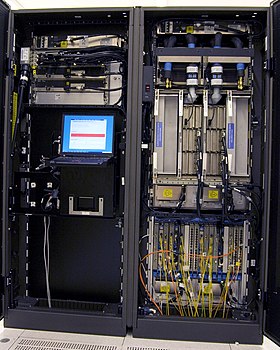
2) Mainframe computer
mainframe computer
Mainframe computers are designed to support hundreds or thousands of users simultaneously. They can support multiple programs at the same time. It means they can execute different processes simultaneously. These features of mainframe computers make them ideal for big organizations like banking and telecom sectors, which need to manage and process high volume of data.
Mainframe computers are designed to support hundreds or thousands of users simultaneously. They can support multiple programs at the same time. It means they can execute different processes simultaneously. These features of mainframe computers make them ideal for big organizations like banking and telecom sectors, which need to manage and process a high volume of data that requires integer operations such as indexing, comparisons, etc.
Characteristics of Mainframe Computers:
It can process huge amount of data, e.g. millions of transactions in a second in the banking sector.
It has a very long life. It can run smoothly for up to 50 years after proper installation.
It gives excellent performance with large scale memory management.
It has the ability to share or distribute its workload among other processors and input/output terminals.
Mainframe Computer एक बड़ी आकार वाले मशीन होते हैं जिसमे उच्च मेमोरी, विशाल स्टोरेज और बहुत उच्च ग्रेड के प्रोसेसर होते हैं. सामान्य डिजिटलकंप्यूटर की तुलना में मेनफ़्रेम कंप्यूटर बहुत तेज और शक्तिशाली होते हैं.
यह काफी तेजी से डेटा को प्रोसेस करते हैं इसलिए इनका उपयोग बैंकिंग, सरकारी विभाग, बड़ी कंपनियों, वैज्ञानिक अनुसंधान और जनगणना डेटा आदि में एक Centralized Machine के रूप में किया जाता है. मेनफ़्रेम कंप्यूटर Ultra Speed पर एक साथ कई कार्यों को करने में सक्षम हैं, इन कंप्यूटर में एक साथ सैकड़ों यूजर काम कर सकते हैं.
मेनफ़्रेम कंप्यूटर आकार में बहुत बड़े होते हैं. एक सामान्य मेनफ़्रेम कंप्यूटर 2000 Square Feet से लेकर 10000 Square Feet तक के एरिया को कवर कर सकते हैं. इनकी स्टोरेज क्षमता भी बहुत अधिक होती हैं. माइक्रो कंप्यूटर और मिनी कंप्यूटर की तुलना में मेनफ़्रेम कंप्यूटर बहुत महंगे होते हैं. इस लिए इन्हें मेनफ़्रेम कंप्यूटर कहते है.
आज के समय में मेनफ़्रेम कंप्यूटर के अनेक उदाहरण मौजूद हैं, हमने नीचे आपको कुछ लोकप्रिय मेनफ़्रेम कंप्यूटर उदाहरणों के बारे में बताया है.
IBM Z Series – IBM Z15, IBM Z14, IBM System Z13, IBM System Z10, IBM System Z9 Etc.
Tianhe-1A; NUDT YH Cluster
Jaguar; Cray XT5
Nebulae; Dawning TC3600 Blad
IBM 370, S/390
Fujitsu’s ICL VME
Hitachi’s Z800
I Series System
3) Miniframe or Minicomputer
Miniframe or Minicomputer
It is a midsize multiprocessing computer. It consists of two or more processors and can support 4 to 200 users at one time. Miniframe computers are used in institutes and departments for tasks such as billing, accounting and inventory management. A minicomputer lies between the mainframe and microcomputer as it is smaller than mainframe but larger than a microcomputer.
Characteristics of miniframe or minicomputer:
It is light weight that makes it easy to carry and fit anywhere.
It is less expensive than mainframe computers.
It is very fast compared to its size.
It remains charged for a long time.
It does not require a controlled operational environment.
यह माइक्रो कंप्यूटर की तुलना में ज़्यादा शक्तिशाली होते हैं, यह माइक्रो कंप्यूटर से बड़ा और मेनफ्रेम कंप्यूटर से छोटा होता हैं, इसका प्रयोग ट्रैफिक कंट्रोल, बैंकों में तथा बड़ी-बड़ी कंपनियों में किया जाता हैं। इस कंप्यूटर पर एक साथ कई व्यक्ति काम कर सकते हैं। इसकी संग्रहण क्षमता भी अधिक होती है।
यह एक मल्टी-प्रोसेसिंग और मल्टी-यूजर कंप्यूटर है। इस पर एक ही समय में कई प्रोग्राम, कई यूजर रन कर सकते हैं। इसे मध्य श्रेणी सर्वर (Server) के रूप में भी जाना जाता है, यह व्यापार, प्राइवेट सेक्टरो, वित्तीय डेटा और अनुप्रयोगों के लिए उपयोग किया जाता है। इस कंप्यूटर की संग्रहण क्षमता और गति मिनी कंप्यूटर से भी अधिक होती है।
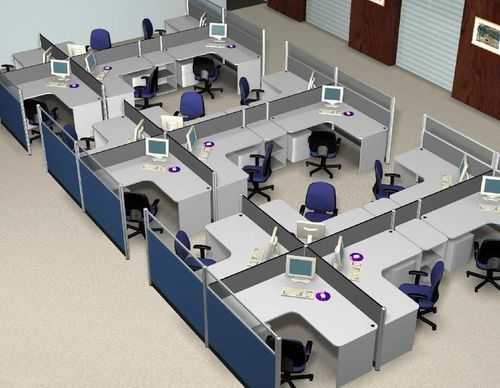
4) Workstation
workstation
Workstation is a single user computer that is designed for technical or scientific applications. It has a faster microprocessor, a large amount of RAM and high speed graphic adapters. It generally performs a specific job with great expertise; accordingly, they are of different types such as graphics workstation, music workstation and engineering design workstation.
Characteristics of workstation computer:
It is a high-performance computer system designed for a single user for business or professional use.
It has larger storage capacity, better graphics, and more powerful CPU than a personal computer.
It can handle animation, data analysis, CAD, audio and video creation and editing.
वर्कस्टेशन कंप्यूटर एक विशेष प्रकार का कंप्यूटर होता है जिसमें नॉर्मल कंप्यूटर की तुलना में अधिक प्रोसेसिंग पावर होती है। आप वर्कस्टेशन में एक नॉर्मल कंप्यूटर से ज्यादा काम कर सकते हैं।
एक नॉर्मल कंप्यूटर, इंटरनेट ब्राउज़िंग, वर्ड प्रोसेसिंग, और गाना सुनने आदि जैसे नॉर्मल काम करता है लेकिन एक वर्कस्टेशन वीडियो एडिटिंग, हाई ग्राफिक्स गेम खेलना, 3D Animation और कॉम्प्लेक्स सिमुलेशन जैसे हाई लेवल के काम कर सकता है।
5) Microcomputer
micro computer
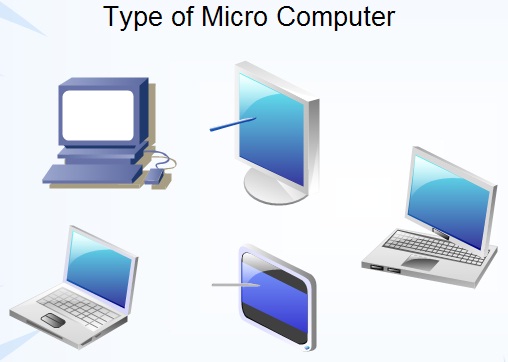
Microcomputer is also known as a personal computer. It is a general-purpose computer that is designed for individual use. It has a microprocessor as a central processing unit, memory, storage area, input unit and output unit. Laptops and desktop computers are examples of microcomputers. They are suitable for personal work that may be making an assignment, watching a movie, or at office for office work.
Characteristics of a microcomputer:
It is the smallest in size among all types of computers.
A limited number of software can be used.
It is designed for personal work and applications. Only one user can work at a time.
It is less expansive and easy to use.
It does not require the user to have special skills or training to use it.
Generally, comes with single semiconductor chip.
माइक्रो कंप्यूटर एक छोटे आकार के कंप्यूटर होते हैं जिनमें CPU के स्थान पर माइक्रो प्रोसेसर का इस्तेमाल किया जाता है. माइक्रो कंप्यूटर को एक व्यक्ति के उपयोग करने के लिए डिजाईन किया गया है. माइक्रो कंप्यूटर एक पुराना शब्द है अब इस शब्द के स्थान पर पर्सनल कंप्यूटर का इस्तेमाल किया जाता है. माइक्रो कंप्यूटर को एक समय में एक ही व्यक्ति इस्तेमाल कर सकता है.
माइक्रो कंप्यूटर में माइक्रो प्रोसेसर, RAM, ROM, इनपुट और आउटपुट पोर्ट Interconnecting वायर सभी एक यूनिट में रखे जाते हैं जिसे कि मदरबोर्ड कहते हैं. माइक्रो कंप्यूटर का इस्तेमाल सामान्य उद्देश्य कार्यों को करने के लिए घरों, स्कूल, कॉलेज, ऑफिस आदि स्थानों में किया जाता
First Generation of Computer – कंप्यूटर की पहली पीढ़ी
The first generation
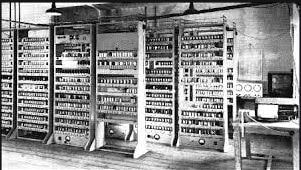
The first generation (1946-1959) computers were slow, huge and expensive. In these computers, vacuum tubes were used as the basic components of CPU and memory. These computers were mainly depended on batch operating system and punch cards. Magnetic tape and paper tape were used as output and input devices in this generation;
Some of the popular first generation computers are;
अवधि 1946-1959 तक मानी जाती है। दो महान साइंटिस्ट द्वारा दुनिया का पहला और सबसे बड़ा ENIAC (Electronic Numerical Integrator and Computer) कंप्यूटर का निर्माण किया गया था। यह एक Fully Electronic Digital Computer था। Generation of Computer की शुरुआत यहीं से हुई थी।
लेकिन इस पीढ़ी के कम्पूटरो में मेमोरी के लिए Vacuum tube का इस्तमाल किया जाता था। Vacuum Tube के कारण यह कंप्यूटर आकर में बड़े, सिमित मेमोरी वाले और अधिक बिजली का खर्च करते थे। इन कम्पूटरो में बड़ी मात्रा में गर्मी उत्पन्न होती थी।
पहली पीढ़ी के कंप्यूटर की विशेषताएँ
Vacuum tube द्वारा निर्मित
मशीनी भाषा का प्रयोग
अधिक महंगा
आकार में बहुत बड़ा
अधिक वजिनी और धीमी गति
AC की आवश्यकता
अधिक मात्रा में बिजली का उपयोग
इनपुट और आउटपुट के लिए पंच कार्ड और चुम्बकीये टेप का प्रयोग
पहली पीढ़ी के कम्प्यूटरो के नाम
ENIAC
EDVAC
EDSAC
UNIVAC
MARK-1
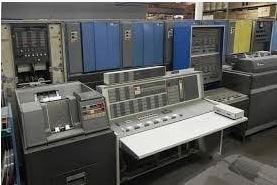
Second Generation Computers The years 1957-1963 were referred to as the “second generation of computers” at the time. In second-generation computers, COBOL and FORTRAN are employed as assembly languages and programming languages. Here they advanced from vacuum tubes to transistors. This made the computers smaller, faster and more energy-efficient. And they advanced from binary to assembly languages. For instance, IBM 1620, IBM 7094, CDC 1604, CDC 3600, and so forth.
second generation
Second Generation of Computer – कंप्यूटर की दूसरी पीढ़ी
दूसरी पीढ़ी की अवधि 1957-1963 तक मानी जाती है। इस पीढ़ी में Vacuum tube को रिप्लेस करके transistor का प्रयोग किया गया। Transistor का विकास Willom Shockly ने 1947 में किया था।
इस पीढ़ी के कम्पूटरो में चुम्बकीये कोर का उपयोग प्राइमरी मेमोरी और चुम्बकीये टेप और चुम्बकीये डिस्क का उपयोग सेकेंडरी मेमोरी के लिए किया गया था।
कंप्यूटर की दूसरी पीढ़ी में दो प्रकार के ऑपरेटिंग सिस्टम का उपयोग किया जाता था। पहला Batch processing और दूसरा Multiprogramming ऑपरेटिंग सिस्टम।
दूसरी पीढ़ी के कंप्यूटर की विशेषताएँ
Transistor द्वारा निर्मित
पहली पीढ़ी की तुलना में ज्यादा विश्वसनीय थे
इसमें Assembly और High level language जैसे Fortran , Cobol का उपयोग किया जाता था
पहली पीढ़ी की तुलना में आकार में छोटा
इनमें कम गर्मी उत्पन्न होती थी
पहली पीढ़ी की तुलना में कम बिजली खर्च होती थी
पहले के कम्प्यूटरो से तेज
AC की आवश्यकता
दूसरी पीढ़ी के कम्प्यूटरो के नाम
IBM 1620
IBM 7094
CDC 1604
CDC 3600
UNIVAC 1108
Third Generation Computers The third generation computers used integrated circuits (ICs) instead of transistors. A single IC can pack huge number of transistors which increased the power of a computer and reduced the cost. The computers also became more reliable, efficient and smaller in size. These generation computers used remote processing, time-sharing, multi programming as operating system. Also, the high-level programming languages like FORTRON-II TO IV, COBOL, PASCAL PL/1, ALGOL-68 were used in this generation.
Some of the popular third generation computers are;
IBM-360 series Honeywell-6000 series PDP(Personal Data Processor) IBM-370/168 TDC-316
third generation
तीसरी पीढ़ी की अवधि 1963-1972 तक मानी जाती थी। इस पीढ़ी में Transistor को रिप्लेस करके IC यानि Integrated Circuit का इस्तमाल किया गया था। इसमें transistor को छोटा करके Silicon chip पर रखा गया।
जिसके कारण कंप्यूटर की गति और दक्षता में काफी वृद्धि हुई। Integrated Circuit का अविष्कार Jack Kilby ने किया था। इस पीढ़ी के कम्पूटरो में रिमोट प्रोसेसिंग, टाइम शेयरिंग और मल्टीप्रोग्रम्मिंग ऑपरेटिंग सिस्टम का उपयोग किया गया था।
तीसरी पीढ़ी के कंप्यूटर की विशेषताएँ
Integrated Circuit का उपयोग
पहली और दूसरी पीढ़ी की तुलना में ज्यादा विश्वसनीय
आकार में छोटा और तेज लेकिन रखरखाव में अभी भी कठिन
अन्य पीढ़ी की तुलना में कम ऊर्चा की खपत
AC की आवश्यकता
Mouse और Keyboard का उपयोग
High level language जैसे-FORTRAN-I to IV, COBOL, PASCAL, BASIC, ALGOL का उपयोग
तीसरी पीढ़ी के कम्प्यूटरो के नाम
IBM-360 Series
Honeywell – 6000 series
PDP (Personal Data Processor)
IBM-370/168
TDC-316
4th Generation:
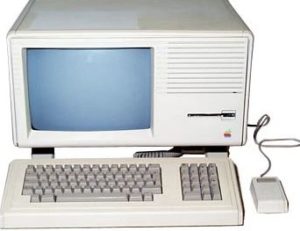
The invention of the microprocessors brought along the fourth generation of computers. The years 1971-1980 were dominated by fourth generation computers. C, C++ and Java were the programming languages utilized in this generation of computers. For instance, the STAR 1000, PDP 11, CRAY-1, CRAY-X-MP, and Apple II. This was when we started producing computers for home use.
fourth generation of computer
Fourth Generation of Computer – कंप्यूटर की चौथी पीढ़ी चौथी पीढ़ी की अवधि 1972-1984 तक मानी गई है। इस पीढ़ी के कम्पूटरो में VLSI (Very Large Scale Integrated) circuit का उपयोग किया गया। इस VLSI circuit के एक Silicon chip पर लगभग 5000 transistor और अन्य circuit तत्व होते है। जिसे Micro Processor कहा जाता है।
पहला Micro Processor 1971 में Intel द्वारा पहली बार पेश किया गया था। जिसका अविष्कार उनके employee ने किया था। उन्होंने इसे Intel 4004 का नाम दिया था।
जबकि 1981 में IBM ने Micro Computer का विकास किया, जिसे Personal Computer (PC) कहा जाता है, और एप्पल ने 1989 में Macintosh (Personal Computer) पेश किया था।
यह कंप्यूटर जीवन के हर क्षेत्र में बहुत तेजी से उपयोग किये जाने लगे थे। क्योंकि यह अन्य पीढ़ी के कम्पूटरो की तुलना में सस्ते, तेज और ज्यादा विश्वसनीय थे।
चौथी पीढ़ी के कम्प्यूटरो में internet, GUI (Graphical User Interface) और operating system (जैसे-MS Dos, MS Window और Apple OS) का विकास हुआ था।
चौथी पीढ़ी के कंप्यूटर की विशेषताएँ
Very Large Scale Integrated Circuit का उपयोग
कम खर्च और अधिक तेज
आकार में छोटे और कम वाजनीये
विधुत का बहुत कम प्रयोग
AC की जरुरत नहीं
रखरखाव सरल
Operate करना एवं चलना सरल
High level language जैसे– C, C++, DBASE का उपयोग
चौथी पीढ़ी के कम्प्यूटरो के नाम
Dec 10
Star 1000
PDP 11
CRAY-1
CRAY-X-MP (Super Computer)
PCs
Fifth Generation Computers In fifth generation (1980-till date) computers, the VLSI technology was replaced with ULSI (Ultra Large Scale Integration). It made possible the production of microprocessor chips with ten million electronic components. This generation computers used parallel processing hardware and AI (Artificial Intelligence) software. The programming languages used in this generation were C, C++, Java, .Net, etc.
Some of the popular fifth generation computers are;
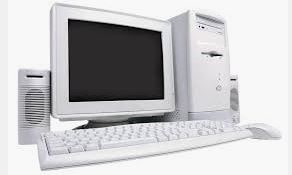
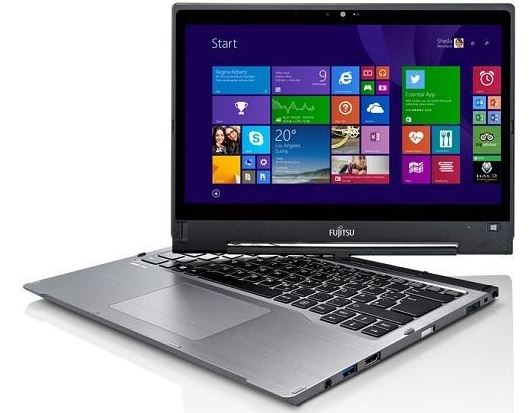
Desktop Laptop NoteBook UltraBook ChromeBoo
fifth generation
Fifth Generation of computer – कंप्यूटर की पांचवी पीढ़ी पांचवी पीढ़ी की अवधि 1984-1990 तक मानी गई है। इस पीढ़ी में वर्तमान के कम्प्यूटरो को और भविष्य में आने वाले कम्प्यूटरो को शामिल किया गया है। इस पीढ़ी के कंप्यूटर अधिक शक्तिशाली, तेज, उच्च तकनीक और ज्यादा मेमोरी वाले कंप्यूटर है।
इसमें ULSI (Ultra Large Scale Integrated) सर्किट का इस्तमाल किया गया, इस ULSI Microprocessor में लगभग एक करोड़ components आ सकते है। यह पीढ़ी मुख्य रूप से समानांतर प्रसंस्करण (Parallel processing) Hardware कृत्रिम बुद्धिमत्ता (Artificial Intelligence) software से सम्बंधित है।
पांचवी पीढ़ी का लक्ष्य ऐसे उपकरणों को विकसित करना है। जो सामान्य भाषा में उपयोग किए जाने वाले लोगो को जवाब दे सकते है। इससे कम्प्यूटर इंसानों की तरह काम करते है। वे C , C++ , और Java जैसी High level language का उपयोग करते है।
पांचवी पीढ़ी के कंप्यूटर की विशेषताएँ
ULSI टेक्नोलॉजी का उपयोग
Artificial Intelligence का विकास
Portable PC और Desktop PC का प्रयोग
Internet, E-mail और WWW (World Wide Web) का विकास हुआ
उपभोक्ता – अनुकूल (User friendly) interface और का विकास हुआ
मल्टीमीडिया फीचर्स जैसे-ध्वनि , ग्राफिक्स, चित्र और टेक्स्ट आदि का निर्माण हुआ
C, C++, Java, .net और ASP जैसी हाई लेवल भाषा का प्रयोग
अधिक तेज, विश्वसनीय और सस्ते
पांचवी पीढ़ी के कम्प्यूटरो के नाम
Desktop
Laptop
Notebook
Ultra book
Chrome boo
Sixth Generation of computer – कंप्यूटर की छठी पीढ़ी
छठी पीढ़ी बुद्धिमान कंप्यूटर के युग के रूप में परिभाषित है। इस पीढ़ी की शुरुवात 1990 से अब तक मानी गई है। जोकि Artificial neural network यानि कृत्रिम तंत्रिका नेटवर्क या Artificial Intelligence यानि कृत्रिम बुद्धिमत्ता पर आधारित है।
यह कंप्यूटर Processor के लिए superconductor का उपयोग करते है। जोकि बिजली बर्बाद नहीं करते और ऊर्जा की बचत करते है। इस पीढ़ी के कम्प्यूटर आकार में अधिक छोटे, तेज और शक्ति शाली है।
छठी पीढ़ी के कंप्यूटर में Intel Pentium और Intel Celeron नाम के processor का इस्तमाल किया गया है। लेकिन यह processor अब Dual core, triple core, Quad core के रूप में आने लगे है। ये processor दो CPU (Dual core) ,तीन CPU (triple core) और चार CPU(Quad core) चालाने के बराबर है।
sixth generation
इस पीढ़ी ने भी आवाज को पहचान दी क्योंकि इस पीढ़ी के कम्पूटरो में विभिन्न प्रकार के Advance Algorithm के माध्यम से सिखने की क्षमता है। इस बेहतर तकनीक से कंप्यूटर को input लेने और शब्दों को पहचने में अनुमति मिलती है।
लेकिन जब qubit या quantum bits की गणना की प्रक्रिया करते है। तो यह कंप्यूटर अन्य पीढ़ी के कम्पूटरो की तुलना में तेज और ज्यादा विश्सनीय होते है।
यह तकनीक कंप्यूटर के processor और मेमोरी के साथ मिलकर काम करती है।
छठी पीढ़ी की इस तकनीक से अंग्रेजी, चीनी, फ्रैंच और स्पेनिश जैसी जटिल भाषाओं को आसानी से process किया जाता है और इस तकनीक के साथ आप कंप्यूटर भाषाओं को भी आसानी से समझ सकते है।
जबकि Voice recognition छात्रों और विकलांगों के लिए वरदान है। Physical device को छुए बिना बोलकर भी कार्य कर सकते है। इसका उपयोग प्रयोगशाला के साफ कमरे, Surgical operating room और Customer service के लिए किया जाता है।
छठी पीढ़ी के कंप्यूटर की विशेषताएँ
Multiple Processor का प्रयोग
Parallel Vector Technology का उपयोग
Nano Technology
Quantum computing bits
UlSI तकनीक के उपयोग से एक चिप में लाखों components होते है
आकार में बहुत छोटे
कम वाजनिये और अधिक तेज
छठी पीढ़ी के कम्प्यूटरो के नाम
Optical computers– Optical कम्प्यूटरो में photons यानि प्रकाश किरणों का उपयोग किया गया। जिसकी गति बहुत अधिक है। Donald Fraxier द्वारा किए गए नीले लेसर खोज में पाया गया की यह तकनीक काम लागत में super fast, light weight और minicomputer विकास करती है।
Hologram Computer– Hologram एक three dimensional चित्र है। जो प्रकाश की तीव्रता की recording से बने होते है। इस प्रकार यह एक उपयुक्त illuminate यानि प्रकाश स्थिरता बनाते है। इसका आकार एक पेन, घडी या कुछ भी हो सकता है।
Parallel Vector computer– Fijistu Corporation 200 से ज्यादा vector processor के साथ एक system बनाने की योजना बना रहा है। हालांकि इस छठी पीढ़ी का एक और लक्ष्य है। Tera flops यानि प्रति second दस arithmetic operation को प्राप्त करना और यह एक हजार से अधिक processor वाली योजना का निर्माण करके किया जा सकता है। Fujistu का एक और प्रमुख विकास WAN है।
Seventh Generation of Computer – कंप्यूटर की सातवीं पीढ़ी
सातवीं पीढ़ी का मतलब है की, एक नई Processor का release होना।
आमतौर पर साल में 1 -3 बार Processor release होते है। इस प्रकार के विकास को Tick-Tock कहा जाता है। Tick का मतलब नई वास्तुकला और Tock का मतलब सुधार।
इस पीढ़ी के Desktop Computer 7th generation “Intel core Processor” पर आधारित है। यह computers smart , stylish design और आकार की एक सीमा के अनुसार बजट और जरूरतों के हिसाब से फिट है।
7th Generation
सातवीं पीढ़ी के कंप्यूटर की विशेषताएँ
इसमें पूर्ण आकार की screen पर 4K video और 360 viewing होती है।
इस पीढ़ी के कम्प्यूटरो में आज के modern games smoothly खेल सकते है।
शानदार स्पष्टता और Luminance 1 के लिए Ultra HD Blue ray के साथ 4K HDR फिल्मे देख सकते है।
Quick sync video technology अधिकांश वीडियो की क्षमताओं को तेज करती है।
Hyper Threading Technology की मदद से बिना किसी रूकावट के multitask कर सकते है।
AES (Advance Encryption Standard) की मदद से user data को Email, Internet एवं लोकल डिस्क पर भी एक मजबूत सुरक्षा मिलती है।
Intelligent Software के साथ system को तेज कार्य करने एवं commands का जल्दी पूरा करने में सहायता मिलती है।