Education is a purposeful activity directed at achieving certain aims, such as transmitting knowledge or fostering skills and character traits. These aims may include the development of understanding, rationality, kindness, and honesty. Various researchers emphasize the role of critical thinking in order to distinguish education from indoctrination. Some theorists require that education results in an improvement of the student while others prefer a value-neutral definition of the term. In a slightly different sense, education may also refer, not to the process, but to the product of this process: the mental states and dispositions possessed by educated people. Education originated as the transmission of cultural heritage from one generation to the next. Today, educational goals increasingly encompass new ideas such as the liberation of learners, skills needed for modern society, empathy, and complex vocational skills.
-GK
-Computer
-Skill Sector
-Hindi
-English
-science
C is often the first programming language learned by students. Learning C forms the base for other popular programming languages such as C++ or C#. Even now, C remains the 11th most popularly used language in the world. Moreover, C opens the door for developer jobs – the average base salary of a C developer is $93,987 per year.
The C programming language was first used on a Digital Equipment Corporation computer called PDP–11 in 1972.
It is a procedural programming language whose primary purpose is to be used as a system’s programming language to write an operating system. Many popular operating systems, such as the Unix operating system and all Unix-related applications, are written in the C languag
Table of Contents
Introduction to C
Basics of C
Features of C
Applications of C
Advantages and Disadvantages of C
Final Thoughts
Frequently Asked Questions (FAQs)
Recommended Articles
Key Highlights
C is a high-level, procedural programming language used to develop system software, application software, and embedded systems.
C is a compiled language, highly extensible, platform independent, and provides direct access to system resources and memory management capabilities.
It is used to develop operating systems, device drivers, games, database systems, and more.
C is highly efficient, portable, and widely used. It also provides low-level memory access and has an extensive library of functions.
If not used properly, c can be prone to security vulnerabilities, and pointer management can get confusing
C Language Basics
It is among the most popular languages among developers as it is easy to learn, produces efficient programs, is a structured language, can handle low-level activities, and can be compiled on various computers.
C language has B language as its primary parent language, which was developed in the 1970s.
The ANSI ( American National Standard Institute ) formalized this language as an official programming language in 1988.
It is the most popular choice for system-friendly programming languages.
The main reason for using C language as the system-specific programming language is its high speed and efficiency, which is close to the assembly language.
C allows the development of state-of-art software.
C programs have an extension of .c after the filename.
Characteristics and Features of C
Procedural Programming: C follows a step-by-step approach to solving a problem or performing a task.
High-Level Language: C provides abstracted programming concepts that allow developers to focus on the logic of their programs rather than low-level details.
Compiled Language: C source code compiles into machine code before execution.
Efficient: C provides direct access to system resources and memory management capabilities.
Platform Independent: C compiles to run on various platforms, including Windows, Linux, and macOS.
Extensible: C allows developers to write libraries and extend the language’s functionality.
Widely Used: C is one of the most commonly used programming languages and has been the basis for many other languages.
Applications of C
Application
Microcontrollers
C compiler directly converts code into machine language, allowing maximum control with a minimal set of commands, making it a good choice for microcontrollers.
Scientific systems
C allows the building and creation of many scientific systems.
Assemblers
C can create assemblers that are put to use to execute machine-level hardware-specific systems.
Text Editors
C can create lightweight text editors.
Print spoolers
C develops the software program responsible for sending jobs to the printer once the command fires.
Network drivers
C can create network drivers responsible for accessing the internet and running WIFI and other kinds of drivers.
Modern programs
C can develop modern programs requiring less memory and work closer to hardware communication.
Databases
C creates software to store a massive amount of data.
Language interpreters
C develops software responsible for changing language types from high-level to machine-level language.
Utilities
C helps develop various command and program system-specific utilities.
History of C Language
History of C language is interesting to know. Here we are going to discuss a brief history of the c language.
C programming language was developed in 1972 by Dennis Ritchie at bell laboratories of AT&T (American Telephone & Telegraph), located in the U.S.A.
Dennis Ritchie is known as the founder of the c language.
It was developed to overcome the problems of previous languages such as B, BCPL, etc.
C language was developed to be used in UNIX operating system. It inherits many features of previous languages such as B and BCPL.
Let’s see the programming languages that were developed before C language.
Language
Year
Developed By
Algol
1960
International Group
BCPL
1967
Martin Richard
B
1970
Ken Thompson
Traditional C
1972
Dennis Ritchie
K & R C
1978
Kernighan & Dennis Ritchie
ANSI C
1989
ANSI Committee
ANSI/ISO C
1990
ISO Committee
C99
1999
Standardization Committee
Features of C Language
C is the widely used language. It provides many features that are given below.
Simple
Machine Independent or Portable
Mid-level programming language
structured programming language
Rich Library
Memory Management
Fast Speed
Pointers
Recursion
Extensible
1) Simple
C is a simple language in the sense that it provides a structured approach (to break the problem into parts), the rich set of library functions, data types, etc.
2) Machine Independent or Portable
Unlike assembly language, c programs can be executed on different machines with some machine specific changes. Therefore, C is a machine independent language.
3) Mid-level programming language
Although, C is intended to do low-level programming. It is used to develop system applications such as kernel, driver, etc. It also supports the features of a high-level language. That is why it is known as mid-level language.
4) Structured programming language
C is a structured programming language in the sense that we can break the program into parts using functions. So, it is easy to understand and modify. Functions also provide code reusability.
5) Rich Library
C provides a lot of inbuilt functions that make the development fast.
6) Memory Management
It supports the feature of dynamic memory allocation. In C language, we can free the allocated memory at any time by calling the free() function.
7) Speed
The compilation and execution time of C language is fast since there are lesser inbuilt functions and hence the lesser overhead.
8) Pointer
C provides the feature of pointers. We can directly interact with the memory by using the pointers. We can use pointers for memory, structures, functions, array, etc.
9) Recursion
In C, we can call the function within the function. It provides code reusability for every function. Recursion enables us to use the approach of backtracking.
10) Extensible
C language is extensible because it can easily adopt new features.
How to install C
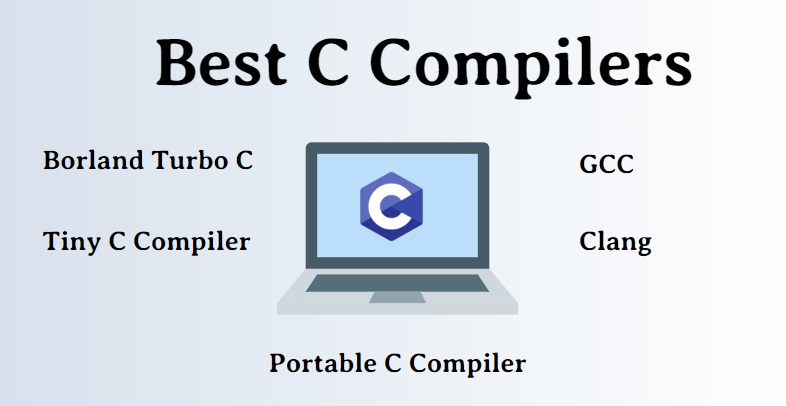
There are many compilers available for c and c++. You need to download any one. Here, we are going to use Turbo C++. It will work for both C and C++. To install the Turbo C software, you need to follow following steps.
Download Turbo C++
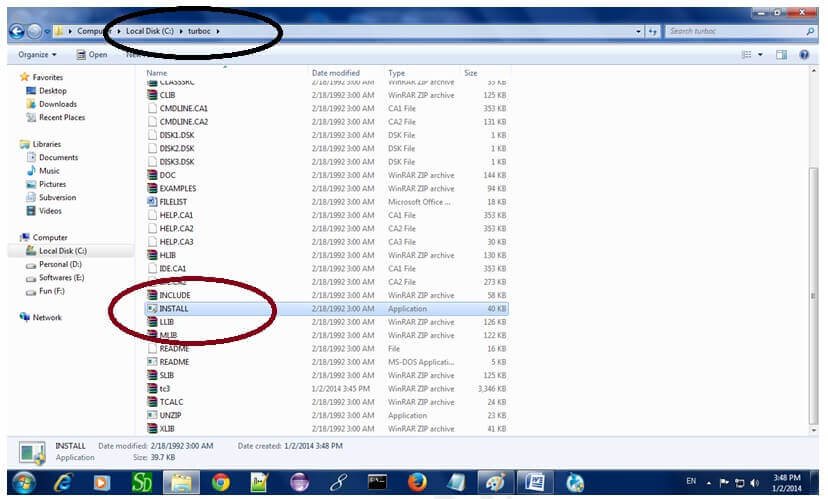
Create turboc directory inside c drive and extract the tc3.zip inside c:\turboc
Double click on install.exe file
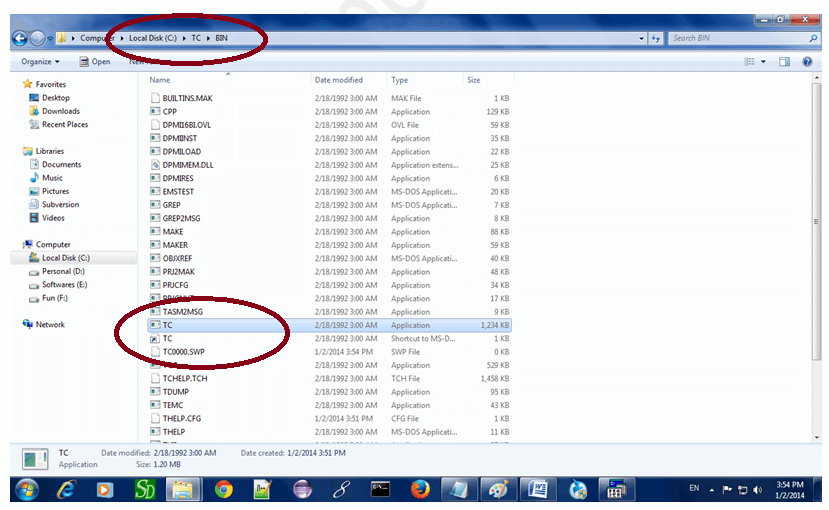
Click on the tc application file located inside c:\TC\BIN to write the c program
1) Download Turbo C++ software
You can download turbo c++ from many sites. download Turbo c++
2) Create turboc directory in c drive and extract the tc3.zip
Now, you need to create a new directory turboc inside the c: drive. Now extract the tc3.zip file in c:\truboc directory.
3) Double click on the install.exe file and follow steps
Now, click on the install icon located inside the c:\turboc
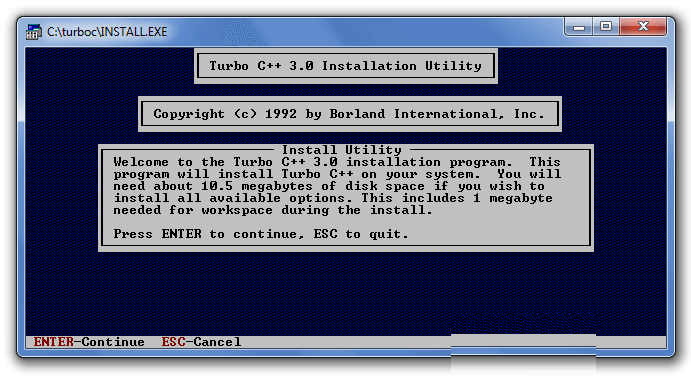
It will ask you to install c or not, press enter to install.
Change your drive to c, press c.
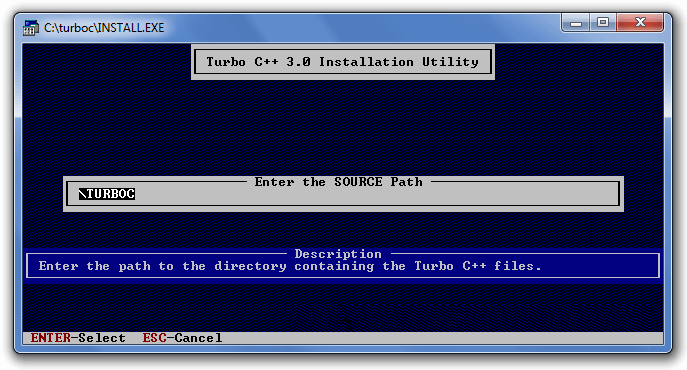
Press enter, it will look inside the c:\turboc directory for the required files.
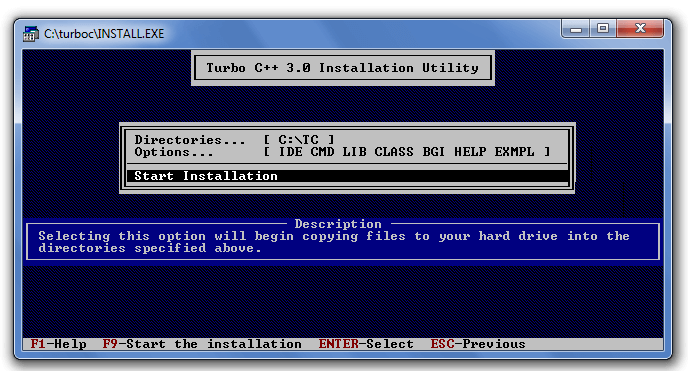
Select Start installation by the down arrow key then press enter.
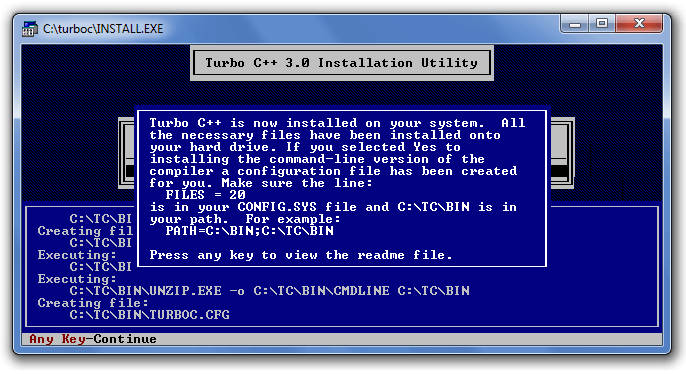
Now C is installed, press enter to read documentation or close the software
4) Click on the tc application located inside c:\TC\BIN
Now double click on the tc icon located in c:\TC\BIN directory to write the c program.
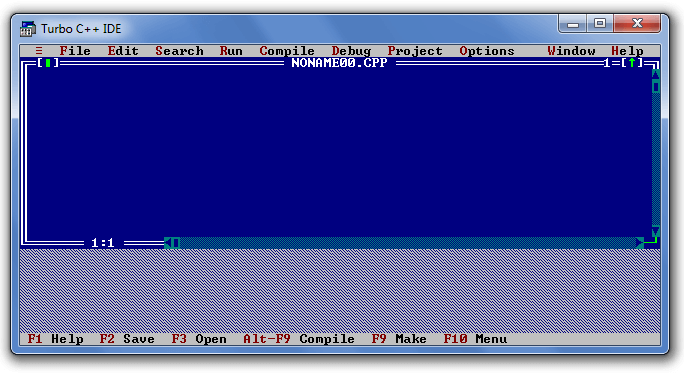
In windows 7 or window 8, it will show a dialog block to ignore and close the application because fullscreen mode is not supported. Click on Ignore button.
Now it will showing following console.
First C Program
Before starting the abcd of C language, you need to learn how to write, compile and run the first c program.
To write the first c program, open the C console and write the following code:
#include <stdio.h>
int main(){
printf(“Hello Dear”);
return 0;
}
#include <stdio.h> includes the standard input output library functions. The printf() function is defined in stdio.h .
int main() The main() function is the entry point of every program in c language.
printf() The printf() function is used to print data on the console.
return 0 The return 0 statement, returns execution status to the OS. The 0 value is used for successful execution and 1 for unsuccessful execution.
How to compile and run the c program
There are 2 ways to compile and run the c program, by menu and by shortcut.
By menu
Now click on the compile menu then compile sub menu to compile the c program.
Then click on the run menu then run sub menu to run the c program.
By shortcut
Or, press ctrl+f9 keys compile and run the program directly.
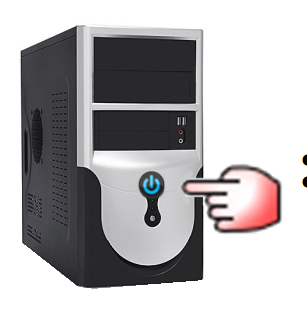
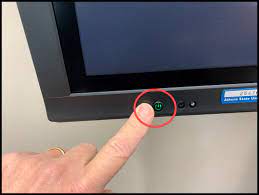
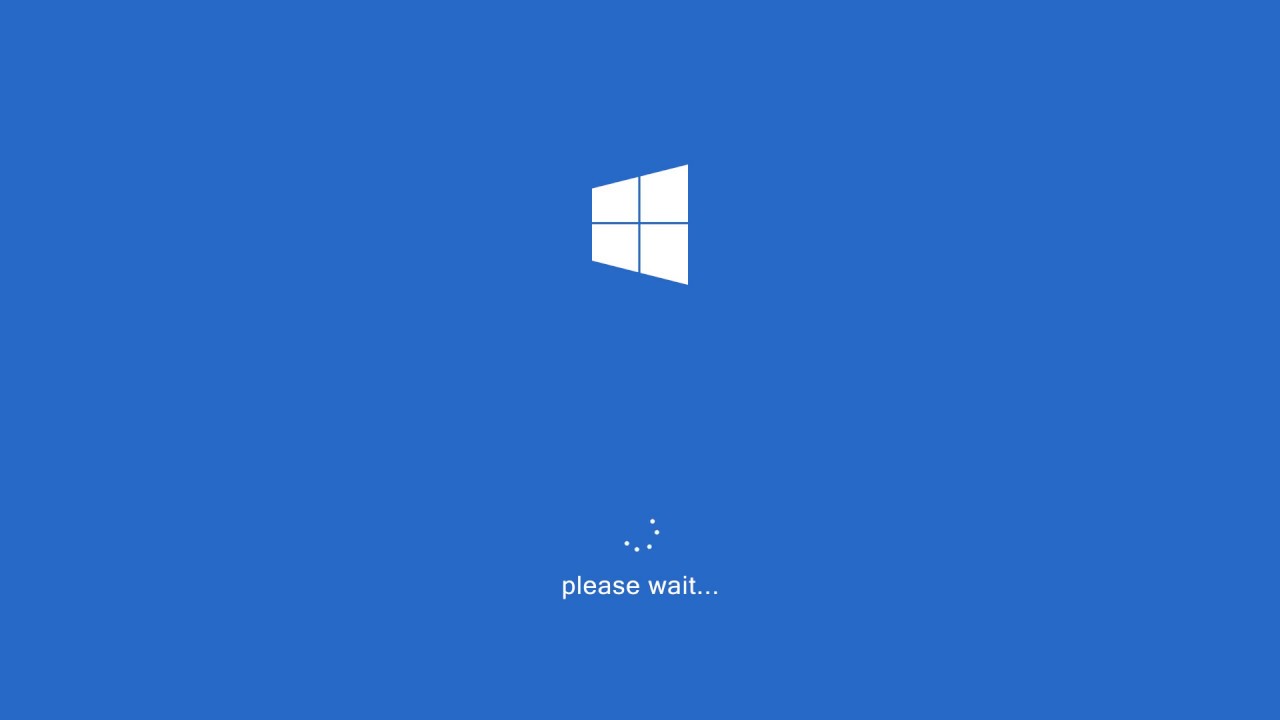
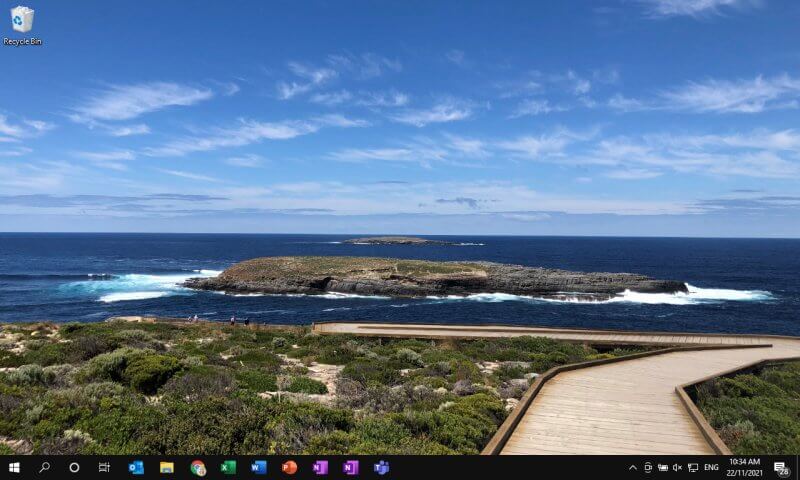
Step5-Wait for Some moment the display will appear on the Monitor. This is called the boot Screen. You can seen that all the software is load . Now the computer is ready to use.
Software is the set of instructions that the computer follows in performing a task.
The software can be of three types: system software, application software, and programming software.
1) System Software
The system software is the main software that runs the computer. When you turn on the computer, it activates the hardware and controls and coordinates their functioning. The application programs are also controlled by system software. An operating system is an example of system software.
system software
i) Operating System:
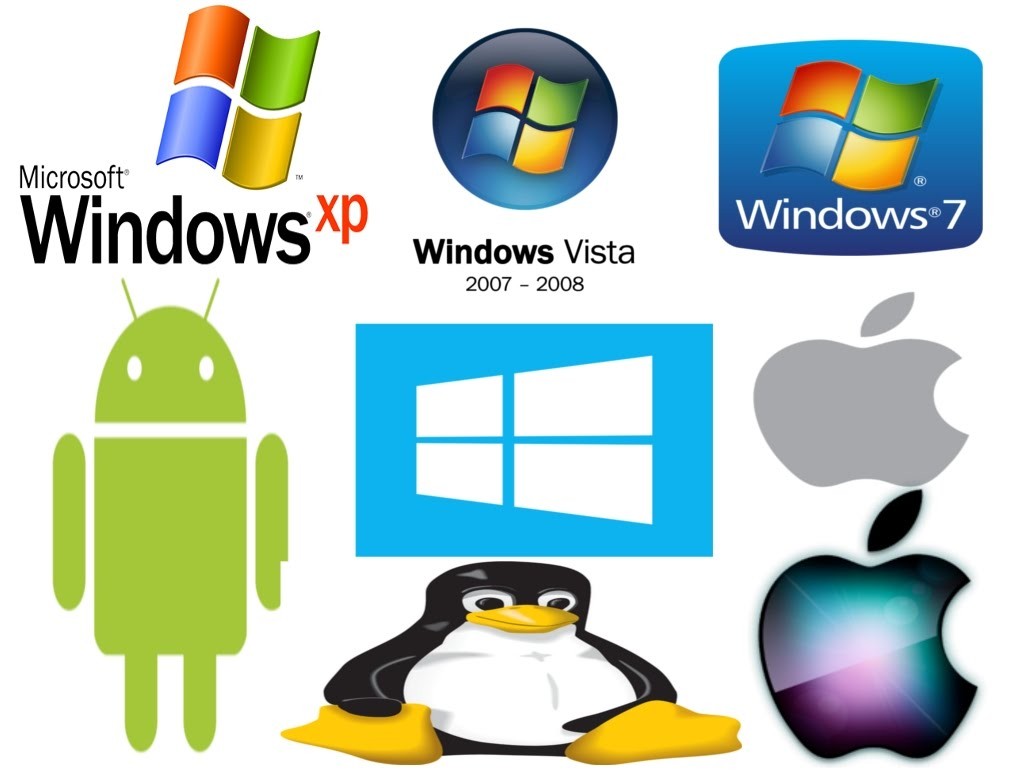
An operating system is the system software that works as an interface to enable the user to communicate with the computer. It manages and coordinates the functioning of hardware and software of the computer. The commonly used operating systems are Microsoft Windows, Linux, and Apple Mac OS X.
Some other examples of system software include:
BIOS: It stands for basic input output system. It is a type of system software, which is stored in Read Only Memory (ROM) located on the motherboard. However, in advanced computer systems, it is stored in flash memory. BIOS is the first software that gets activated when you turn on your computer system. It loads the drivers of the hard disk into memory as well as assists the operating system to load itself into the memory.
Boot Program: Boot refers to starting up a computer. When you switch on the computer, the commands in the ROM are executed automatically to load the boot program into memory and execute its instructions. The BIOS program has a basic set of commands that enables the computer to perform the basic input/output instructions to start the computer.
An assembler: It plays the role of a converter as it receives basic computer instructions and converts them into a pattern of bits. The processor uses these bits to perform basic operations.
A device driver: This system software controls hardware devices connected to a computer. It enables the computer to use the hardware by providing an appropriate interface. The kernel of a Computer’s CPU communicates with different hardware through this software. Operating systems generally come with most of the device drivers. If the operating system does not have a device driver for hardware, you have to install the device driver before using that hardware device.
2) Application Software:
Application software is a set of programs designed to perform a specific task. It does not control the working of a computer as it is designed for end-users. A computer can run without application software. Application software can be easily installed or uninstalled as required. It can be a single program or a collection of small programs. Microsoft Office Suite, Adobe Photoshop, and any other software like payroll software or income tax software are application software. As we know, they are designed to perform specific tasks. Accordingly, they can be of different types such as:
Word Processing Software: This software allows users to create, edit, format, and manipulate the text and more. It offers lots of options for writing documents, creating images, and more. For example, MS Word, WordPad, Notepad, etc.
Spreadsheet Software: It is designed to perform calculations, store data, create charts, etc. It has rows and columns, and the data is entered in the cell, which is an intersection of a row and column, e.g., Microsoft Excel.
Multimedia Software: These software are developed to perform editing of video, audio, and text. It allows you to combine texts, videos, audio, and images. Thus, you can improve a text document by adding photos, animations, graphics, and charts through multimedia software. For example, VLC player, Window Media Player, etc.
Enterprise Software: These software are developed for business operational functions. It is used in large organizations where the quantum of business is too large. It can be used for accounting, billing, order processing and more. For example, CRM (Customer Relationship Management), BI (Business Intelligence), ERP (Enterprise Resource Planning), SCM (Supply Chain Management), customer support system, and more.
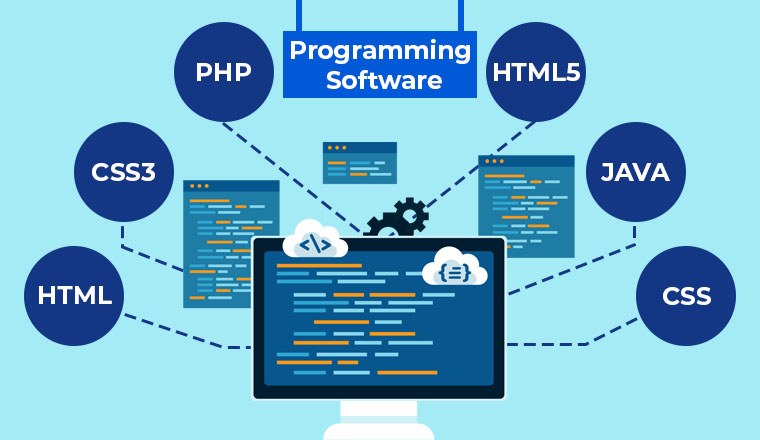
3) Programming Software:
It is a set or collection of tools that help developers in writing other software or programs. It assists them in creating, debugging, and maintaining software or programs or applications. We can say that these are facilitator software that helps translate programming language such as Java, C++, Python, etc., into machine language code. So, it is not used by end-users. For example, compilers, linkers, debuggers, interpreters, text editors, etc. This software is also called a programming tool or software development tool.
Some examples of programming software include:
Eclipse: It is a java language editor.
Coda: It is a programming language editor for Mac.
Notepad++: It is an open-source editor for windows.
Sublime text: It is a cross-platform code editor for Linux, Mac, and Windows.
सॉफ्टवेयर क्या है? What is Software in computer?
सॉफ्टवेयर निर्देशों का सेट है, इसे कंप्यूटर प्रोग्राम भी कहा जाता है। सॉफ्टवेयर यूजर को कंप्यूटर और उसके हार्डवेयर के साथ जोड़ता है।
लेकिन यूजर computer software को छू नहीं सकता, वह केवल GUI के माध्यम से देख सकता है। यह हमारे कार्य को बहुत आसान बनाता है। इसके बिना तो अधिकांश कंप्यूटर बेकार है।
उदाहरण के लिए आप www.gveks.org का जो webpage पढ़ रहे है। वह एक सॉफ्टवेयर (इंटरनेट ब्राउज़र) पर दिखाया जा रहा है। बिना ऑपरेटिंग सिस्टम के आप किसी भी सॉफ्टवेयर (इंटरनेट ब्राउज़र) का उपयोग नहीं कर सकते है।
ऐसे कई प्रकार के सॉफ्टवेयर मौजूद है जैसे की excel का उपयोग करके आप spreadsheet तैयार कर सकते है, word के उपयोग से document editing का कार्य कर सकते है, फोटोशॉप का उपयोग करके photo editing और graphics designing का कार्य भी कर सकते है आदि।
आज की जरूरतों को देखर कई बड़ी-बड़ी सॉफ्टवेयर कंपनी सॉफ्टवेयर लॉन्च कर रही ताकि यूजर अपने कार्य को बहुत ही आसानी से और कम समय में कर सके।
हर प्रकार के काम के लिए हर प्रकार के सॉफ्टवेयर मौजूद है। जिनमें से कुछ कंपनी द्वारा फ्री में भी उपलब्ध कराये जाते है।
तो आइए what is software in computer के बाद जानेंगे की सॉफ्टवेयर कितने प्रकार के होते है-Types of software
Types of software in computer
System Software
Application Software
System Software
System software को कंप्यूटर सॉफ्टवेयर भी कहा जाता है। यह सॉफ्टवेयर computer hardware और application software को चलाने के लिए डिज़ाइन किया गया है।
इस सॉफ्टवेयर से कंप्यूटर के अन्य programs को execute किया जाता है। सिस्टम सॉफ्टवेयर user applications और hardware के बीच मध्य स्तर का कार्य करता है।
“Operating System” सिस्टम सॉफ्टवेयर का प्रकार है।
सिस्टम सॉफ्टवेयर के प्रकार – Types of system software
Operating system
Operating system सिस्टम सॉफ्टवेयर का एक महत्वपूर्ण उदाहरण है। यह software’s और उनके resources को संभालता है, और GUI (Graphical user interface) प्रदान करता है।
कई डिवाइस जैसे की desktop, laptop, और mobile phone को कार्य करने के लिए ऑपरेटिंग सिस्टम की आवश्यकता होती है। OS यह तय करता है कि यूजर सिस्टम से कैसे interact करता है।
OS कई प्रकार के होते है जैसे की Multitasking, Multi programming, Distributed, Real-Time आदि।
नीचे ऑपरेटिंग सिस्टम के कुछ उदाहरण दिए गए है।
Android
iOS
Linux
UNIX
MS windows
Mac OS
Ubuntu
Device Driver
Android मोबाइल फ़ोन का ऑपरेटिंग सॉफ्टवेयर है जो की लगभग सभी मोबाइल में उपयोग होता है। एंड्राइड Operating Software है और हम सब जो Apps, Google Play Store से डाउनलोड करते हैं वह Application Software कहलाते हैं।
example of operating system
Device Driver
Device Driver भी एक प्रकार का सिस्टम सॉफ्टवेयर है। इसका कार्य हार्डवेयर को कंट्रोल करना होता है और यह सिस्टम से जुड़ा रहता है।
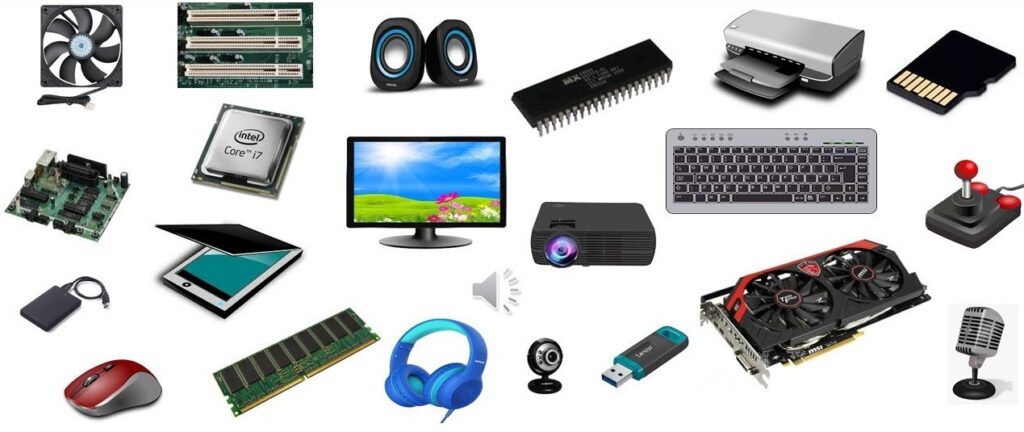
हार्डवेयर डिवाइस कई प्रकार की होती है जैसे monitor, mouse, sound card, printer, और hard disks आदि devices को system से connect करने लिए device driver की जरुरत होती है।
यह दो प्रकार की होती है पहला Kernel device driver और दूसरा User device driver
नीचे डिवाइस ड्राइवर के कुछ उदाहरण दिए गए है।
BIOS Drive
Display Drivers
Printer Drivers
USB Drivers
ROM Drivers
Motherboard Drivers
VGA Drivers
Application software
सॉफ्टवेयर का दूसरा प्रकार है Application software यह सॉफ्टवेयर विशेष प्रकार से यूजर के लिए डिज़ाइन किये जाते है। जिसमें आप document editing का कार्य, letter typing का कार्य, गाना सुनना, और वीडियो देख सकते है।
इन सभी विशेष कार्य को करने के लिए अलग-अगल सॉफ्टवेयर की आवश्यकता होती है। उसके लिए सॉफ्टवेयर को उस विशेष कार्य के लिए डिज़ाइन किया जाता है। कंप्यूटर में ऑपरेटिंग सॉफ्टवेयर सभी application software को चलता है।
अगर system software और application software में तुलना की जाये, तो application software में user interface होता है। जिससे user को उसका उपयोग करना और समझना आसान होता है।
यूजर operating software को चला नहीं सकता न ही उसे देख सकता है। जबकि application software में यूजर GUI का उपयोग कर चला सकता है और देख भी सकता है। यूजर खुद से भी अपना software बना सकता है और उसका पर्सनल उपयोग भी कर सकते है।
यदि कंप्यूटर में Application software नहीं होगा तो कंप्यूटर यूजर के किसी काम का नहीं होगा। Application software का उपयोग mobile phone में भी किया जाता जिन्हें संक्षेप में “apps” भी कहा जाता है।
Application software कई प्रकार के होते है जैसे की आप MS word में document editing का कार्य कर सकते है, MS power point से presentation तैयार कर सकते है, MS Excel से spreadsheet बना सकते है, Photoshop से photo editing का काम कर सकते है, Browsing software (Firefox, Chrome आदि) का उपयोग करके इंटरनेट पर searching कर सकते है।
एप्लीकेशन सॉफ्टवेयर के प्रकार – Types of application software
Word processors software
इस प्रकार के एप्लीकेशन सॉफ्टवेयर का उपयोग documents में formatting, editing और printing आदि प्रकार के कार्य करने के लिए किया जाता है।
यह निम्न प्रकार के होते है।
Microsoft word
Abi word
Corel Word Perfect
Google Docs
Multimedia software
इस प्रकार के सॉफ्टवेयर का उपयोग वीडियो और ऑडियो फाइल्स तैयार करने के लिए किया जाता है। जिसमें आप video editing, animation और graphics आदि प्रकार के कार्य भी कर सकते है।
यह सॉफ्टवेयर निम्न प्रकार के होते है।
Windows Media Player
Windows Movie Maker
Adobe Photoshop
VLC Media Player
Multimedia software
Web Browser software
इस प्रकार के सॉफ्टवेयर का उपयोग करके आप इंटरनेट की मदद से searching करके किसी भी प्रकार की जानकारी प्राप्त कर सकते है।
यह सॉफ्टवेयर निम्न प्रकार के होते है।
Google Chrome
Internet Explorer
Mozilla firefox
UC Browser
Web Browser software
सॉफ्टवेयर कैसे बनाए जाते है, और यह कैसे काम करते है?
आप देखते होंगे कंप्यूटर में कई प्रकार के सॉफ्टवेयर मौजूद है। जिन्हें बनाने के लिए computer programmers की आवश्यकता होती है। यह programmers प्रोग्रामिंग भाषा का प्रयोग करके instructions लिखते है और एक data structure तैयार करते है।
उन्हीं निर्देशों के आधार पर सॉफ्टवेयर कार्य करते है। इन सभी programs को interpreter और compiler द्वारा मशीनी भाषा में बदला जाता है। ताकि उसे कंप्यूटर समझ सके।
फ्रीवेयर सॉफ्टवेयर क्या है? – What is a Freeware software?
Freeware software के नाम से आप जान सकते है यह सॉफ्टवेयर आप free में internet से download करके प्राप्त कर सकते है। इसको डाउनलोड करने में आपको किसी भी प्रकार का शुल्क नहीं देना होता है।
केवल आप उस सॉफ्टवेयर की official website पर जा कर अपनी id से login करके सॉफ्टवेयर को डाउनलोड कर सकते है और अपने कंप्यूटर में install कर सकते है।